Flashback
Your Personal Time Machine
Missed something important? Flashback lets you save the last 30 seconds to 2 minutes — even if you weren't recording.
How it works
Flashback continuously buffers audio and video in a circular RAM buffer. When something important happens, press a hotkey and the buffer is saved to disk — retroactively capturing what just happened, even though you never pressed "record."
Enable Flashback
Turn on Audio Flashback, Video Flashback, or both in SeaMeet settings. The app begins buffering immediately.
Go about your day
SeaMeet runs quietly in the background, continuously writing the last N seconds into a circular RAM buffer. Nothing is saved to disk.
Something important happens
A colleague shares a key decision, a client mentions a deadline, or you witness something worth keeping. You weren't recording.
Press the hotkey
Hit your configured Flashback hotkey. SeaMeet instantly writes the buffer contents to a file. The moment is saved — retroactively.
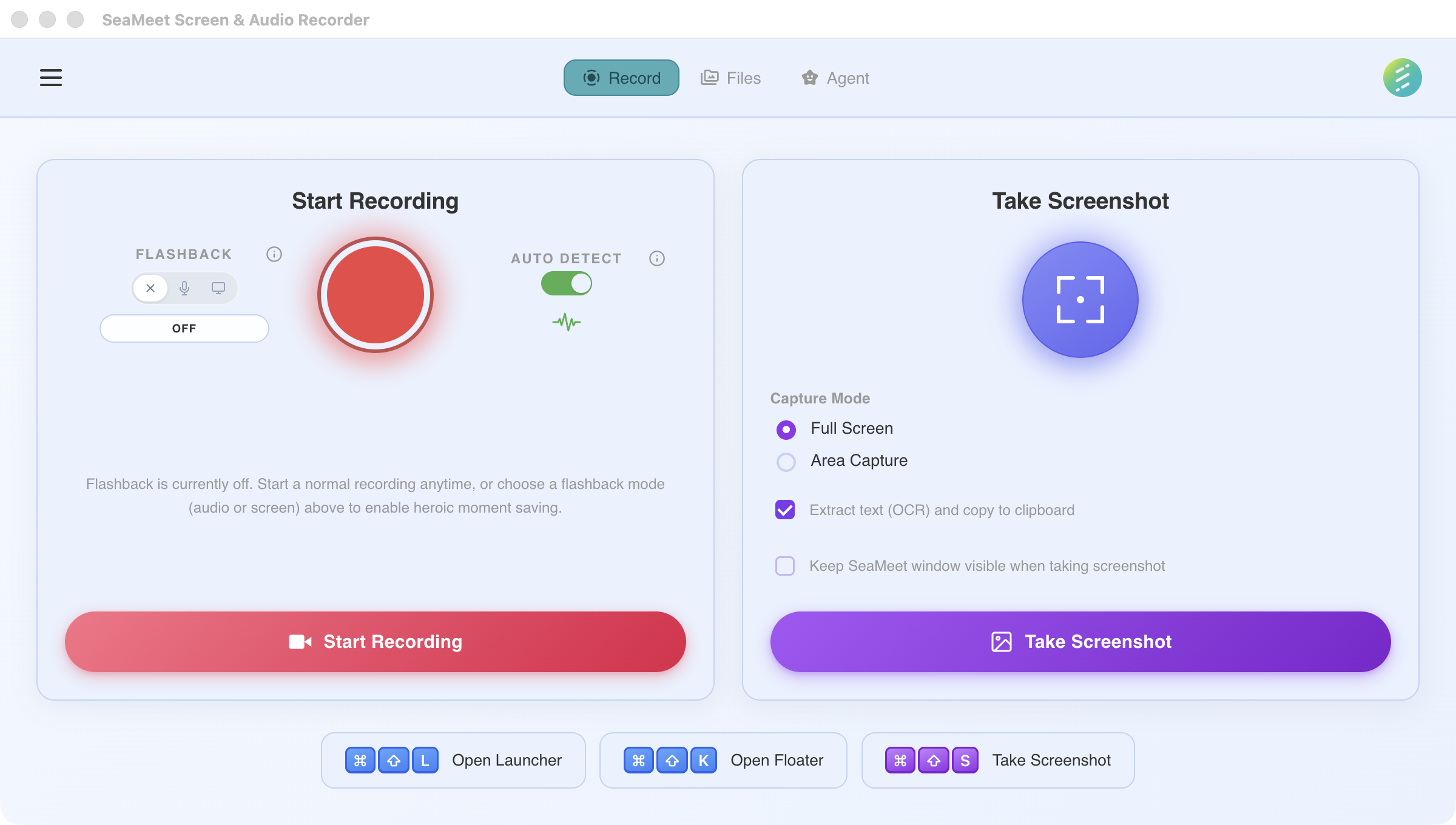
Flashback controls sit right next to the record button
Audio Flashback
Lightweight & always-on
Video Flashback
GPU-accelerated capture
Key points
RAM only — never touches disk
The buffer lives entirely in memory. Nothing is written to disk until you explicitly trigger a save. If you never press the hotkey, the data is silently overwritten and gone forever.
Works offline
Flashback is a local feature. No internet connection, no cloud service, no account required. It works even in airplane mode.
Minimal CPU impact
Audio Flashback uses virtually zero CPU. Video Flashback uses hardware-accelerated encoding (GPU) so the impact on your system is negligible.
Configurable buffer length
Audio Flashback defaults to 30 seconds. Video Flashback is configurable from 10 seconds to 2 minutes depending on your available RAM and resolution.