AI Transcription
Real-Time AI Transcription
Live speech-to-text powered by Gemini. Automatic language detection and speaker labeling.
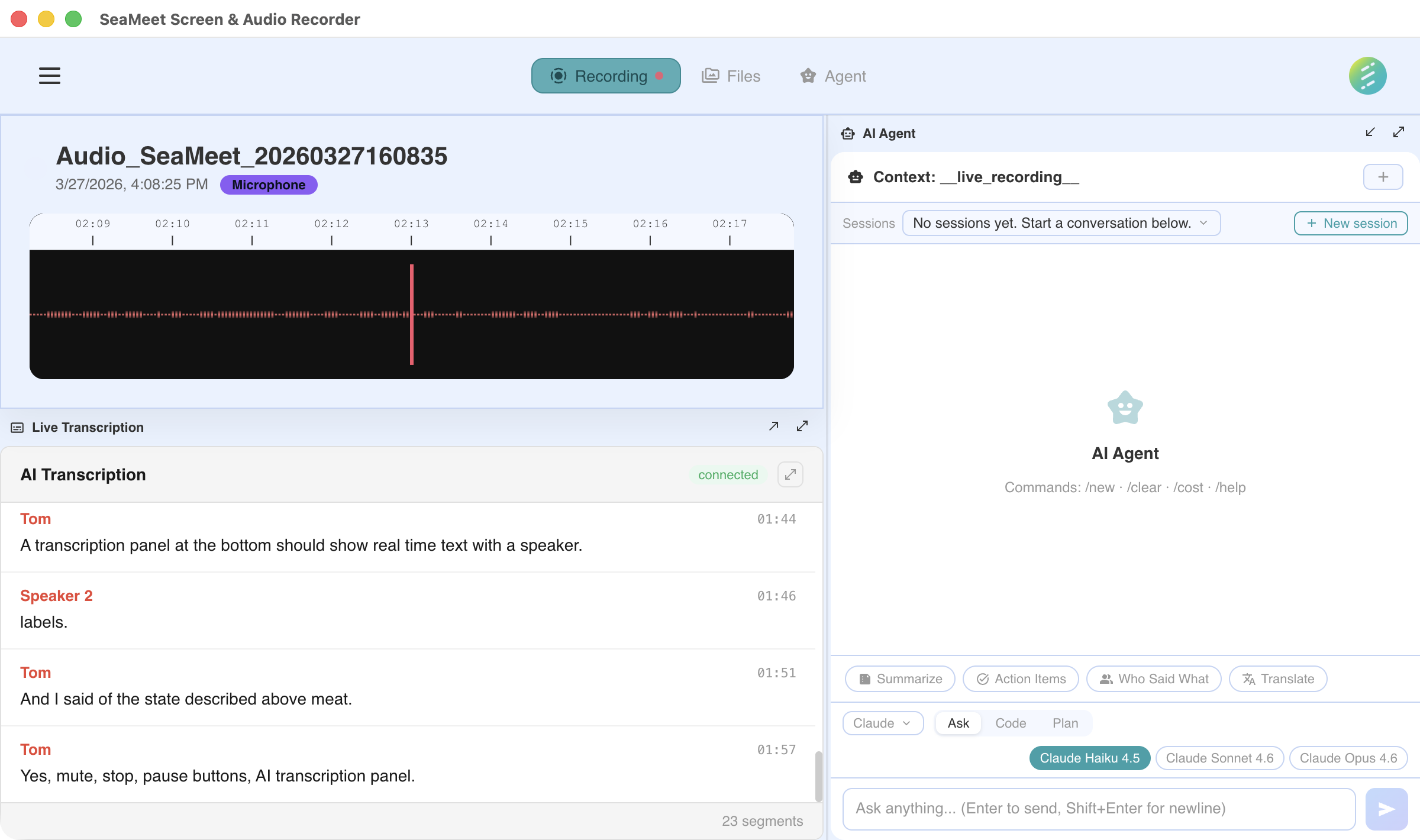
AI-powered transcription and analysis interface
How it works
When you start a recording with transcription enabled, SeaMeet streams audio to the Gemini API in real time. The AI model processes speech and returns text within seconds, with automatic language detection and speaker separation.
Real-time during recording
Transcription happens live as you record. Words appear within seconds of being spoken — not after the recording ends.
20+ languages supported
Automatic language detection means you don't need to set the language manually. SeaMeet identifies the spoken language and transcribes accordingly.
Speaker detection
SeaMeet distinguishes between different speakers and labels each segment. In meetings with multiple participants, you can see who said what.
Timestamped segments
Every transcription segment includes precise timestamps. Click any timestamp to jump to that moment in the recording.
Caption overlay
Display live captions as an overlay on your screen during recording. Useful for accessibility, noisy environments, or when you can't use speakers.
Multi-provider STT
Choose between multiple speech-to-text providers: Gemini Live (default), Deepgram Nova-3, Soniox, and OpenAI Realtime. Switch providers based on your needs for speed, accuracy, or language support.
SRT export
Export transcripts as SRT subtitle files. Use the exported subtitles for video editing, sharing, or importing into other tools.
Chinese conversion
Automatic post-processing converts Simplified Chinese (zh-CN) transcripts to Traditional Chinese (zh-TW), saving you a manual conversion step.
Privacy considerations
Audio streaming
When transcription is active, audio is streamed to the AI provider for processing. The audio is not stored by the provider and is deleted after processing.
Transcripts stay local
The resulting transcription text is saved locally on your device. SeaMeet never uploads your transcripts to its own servers.
Opt-in only
Transcription is never enabled by default. You choose when to activate it — per recording or as a global preference.
Not on the desktop app? See the web capability → Transcription