How to Record a Skype Call in 2026
Table of Contents
Search “record Skype call” today and you walk into a museum. Article after article points you to the ”…” menu and its Start recording option — inside software Microsoft switched off on May 5, 2025. Those instructions were once true. They now describe an app that no longer connects to anything, kept alive by pages that never got updated.
The need those readers have didn’t retire, though. In 2026 it lands in one of three places: the calls your old Skype contacts now make on Teams, the Skype for Business meetings still running on corporate servers, and the recordings you saved back when Skype still worked. All three can be recorded or recovered — with a transcript attached — and none of them involve the dead button. That’s what this guide covers, using SeaMeet’s Skype recorder page as the starting point for anything that runs in a browser tab.
What shut down, and what survived
May 5, 2025 was the end for consumer Skype: voice calls, video calls, and the built-in recording that announced itself with a banner to everyone on the line. Microsoft moved the address book on — chats and contacts migrated to the free tier of Microsoft Teams, which is where an ex-Skype caller lands today.
Two other things outlived the shutdown:
Skype for Business, the corporate cousin. A different product with a similar name. Its online service reached end-of-life back in 2021, but plenty of organisations still run their own on-premises servers, and meetings on those servers still dial in 2026. If your employer is one of them, your “Skype call” never stopped existing.
The files you saved. Recordings that lived inside a Skype chat expired after thirty days — that was the rule while the service lived. Anything you downloaded back then is an ordinary video file sitting on your disk right now, waiting for the third bucket below.
Bucket one: your “Skype call” is a Teams call now
The people didn’t vanish; the app changed. When that contact rings in 2026, you answer in Teams — and Teams calls load fully in a browser, which is what makes them easy to capture without installing anything.
- Take the call in your browser. Work and school accounts at teams.microsoft.com, personal accounts — including the ones that arrived from Skype — at teams.live.com. Chrome or Edge both work.
- Open the Teams recorder page in a second tab. Same browser as the call.
- Pick “A browser tab” and choose the Teams tab. Keep “Share tab audio” ticked — that checkbox is what carries the other voices into the file.
- Record. A live, speaker-labelled transcript runs while the conversation happens. Hang up, click Stop, and the recording, transcript and summary file themselves into your library.
If you live in the native Teams client instead of the browser, the SeaMeet desktop app covers that side: it auto-detects Teams calls on macOS and Windows at the system-audio level and records in the background. It also brings Flashback, which quietly banks the two minutes of audio before you hit Record — the moment you realise a call should have been captured from the start, it already was. And for people who keep Chrome as their office, the SeaMeet extension recognizes browser meetings natively — a Teams call loaded in a tab is picked up on its own, recording handled without a second thought.
Why not Teams’ own recorder? Because it’s rarely yours to press. Microsoft’s built-in recording requires the organiser to be on a paid Microsoft 365 plan, requires the tenant admin to have enabled recording, and excludes guests and external participants outright. Ex-Skype users calling a company from outside — freelancers, agencies, consultants, the family accountant — are exactly the people that gate locks out. And when native recording does run, the file saves to the organiser’s OneDrive, not yours. The paths above are indifferent to all of it: if you can see and hear the meeting, you can record it. The Microsoft Teams recorder page and the full Teams meeting guide go deeper on this.
Bucket two: Skype for Business, still dialing
For meetings on a server your company still runs, nothing about the capture changes. It remains call audio your machine is playing, and the desktop app listens for exactly that, at the system-audio level — no share dialogs, no presence in any participant list. The browser path works too whenever the meeting reaches you through a web link. Skype for Business shipped its own recorder once, but only presenters could press it; everyone else on those calls had nothing. An attendee-side capture that asks permission from no server and announces itself to nobody fills a gap those servers never closed.
Bucket three: the recordings that already exist
Here is the part most 2026 guides skip. The MP4s you exported from Skype before the shutdown didn’t go anywhere — they’re on your drive, and each one can still become a clean, timestamped transcript:
- Open SeaMeet and choose Import file. The audio and video import page starts the same flow.
- Drop in the MP4 or MP3. Interviews recorded in 2012, client calls from the year your team still said “let’s Skype” — the format doesn’t care.
- Get the same output as a live recording. Transcript with speaker labels, a summary a minute later, everything searchable beside your current Teams calls.
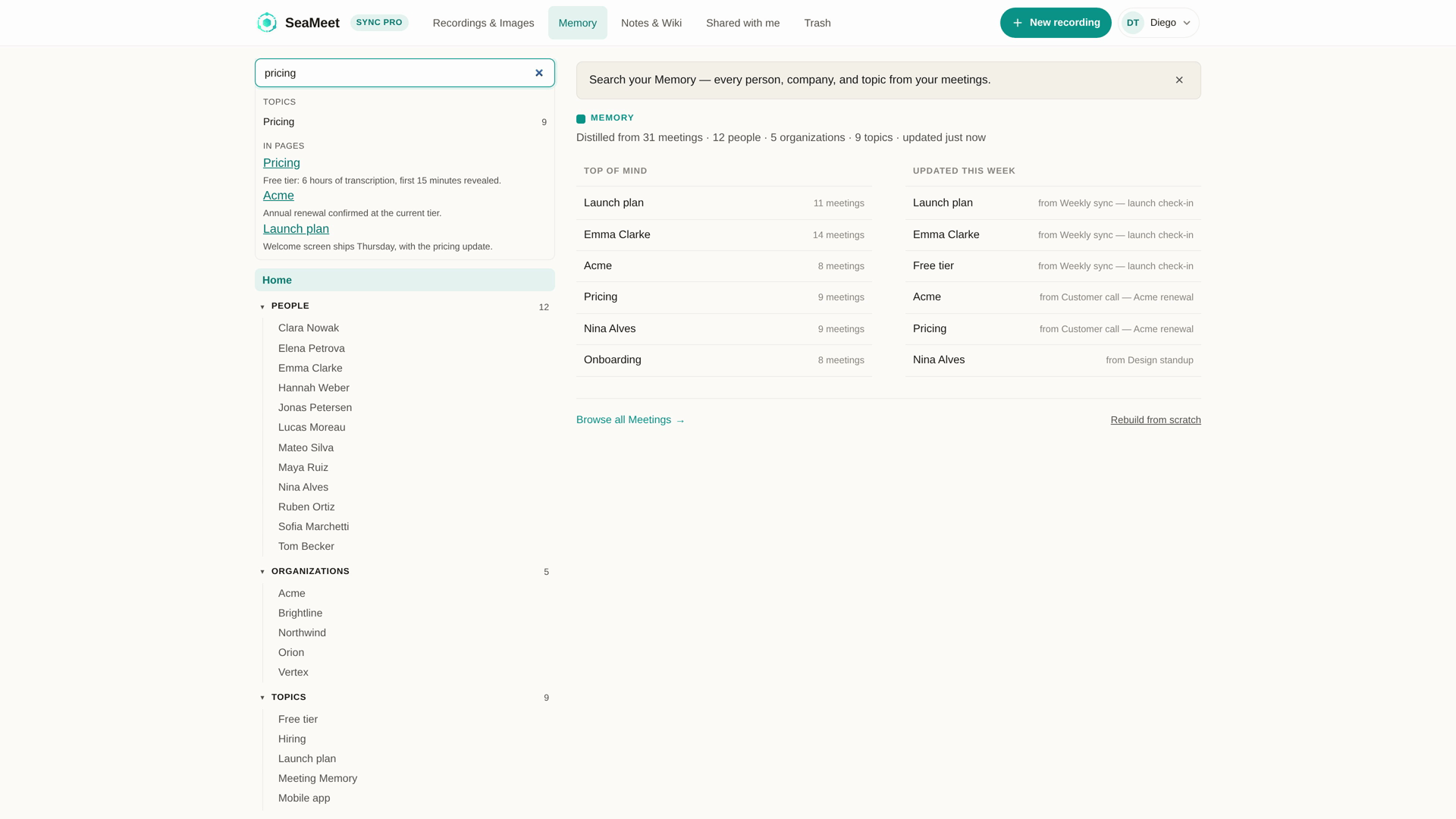
That last part is the quiet payoff. A decade of scattered Skype archives and a year of Teams recordings end up in one library, filed under the people and organisations they involve — so searching for a client’s name surfaces the 2019 call and last Tuesday’s, side by side.
What you keep when it’s all over
A transcript that wrote itself during the call. Timestamped, speakers separated by voice, correctable afterwards, auto-detected across 20+ languages — useful when a call that started in English drifts into Mandarin, or when the 2014 archive file turns out to be two relatives switching between three.
Every timestamp doubles as a seek control: click it and the player lands on that exact word, which is how you re-hear the one sentence a summary can’t fully carry.
A summary built for forwarding. Decisions, action items, owners, deadlines — written about a minute after the recording ends, in the language the conversation ran on, ready to paste into whatever the follow-up thread is.
A library entry that accumulates. Fifth conversation with the same counterpart becomes one thread to read, not five files to excavate. Recordings and transcripts export to plain formats and stay on your own disk.
The money part is short: no signup needed for the first fifteen minutes of any recording, six hours of transcription on the free plan that never expire, and past that Sync Pro at $15.99 month-to-month or $12.99 a month billed annually.
The old banner is gone — the obligation isn’t
Skype’s built-in recorder told on you, every time, with a banner the whole call could see. SeaMeet does the opposite: it joins nothing, adds no participant, lights no indicator anywhere — on a Teams call, the red REC chip only appears when Microsoft’s own recording is running. The announcement, in other words, is entirely yours to make. One sentence before you hit Record covers the baseline in every jurisdiction; whether the law where you live accepts one-party consent or demands everyone’s agreement, and whatever your employer’s policy layers on top, being upfront satisfies all of it at once. The people who never got a choice about being recorded are the ones this paragraph is for.
FAQ
Can you still record a Skype call in 2026?
Not a consumer-Skype one — that service, its calls, and its record button ended in May 2025. Everything recordable today falls into the successor bucket (Teams), the corporate bucket (Skype for Business on still-running servers), or the archive bucket (files already on your disk). All three are covered above.
Does Skype’s built-in recording still work?
No. The feature retired with the platform. The ”…” → Start recording walkthroughs still ranking in search results describe software that can no longer place a call to record — which is why this guide starts where Skype ended.
My Skype account became a Teams account. How do I record those calls?
Open the call in your browser and capture the tab, or let the desktop app listen at the system-audio level — both flows are stepped out in bucket one. Guests and external callers get special value here, since Microsoft gates its native recording to organisers on paid plans whose admins enabled it.
Can I record a Skype for Business meeting?
Yes, if your organisation still runs one. From your seat it’s ordinary call audio, and the same two capture paths — browser tab when the meeting reaches you over the web, system-level desktop capture otherwise — handle it identically. Presenters had the built-in option; now attendees do too.
Can I get transcripts out of old Skype recordings?
Whenever the file survived. Copies that stayed inside a chat expired on the thirty-day rule, but every MP4 you downloaded imports cleanly and comes back as a timestamped, speaker-labelled transcript — decades-old archives included.
Will anyone see a notification when I record?
No indicator lights up and no participant appears, because nothing joins the call. The capture happens on your machine, invisible to the meeting. The consent section above is the playbook for using that invisibility responsibly.
Is it legal to record these calls?
Jurisdiction and workplace policy decide — one-party and all-party consent lines differ across countries and US states, and employers frequently add stricter rules of their own. Saying the words “I’m recording this” at the start clears the lowest bar everywhere and most of the higher ones too.
See it in 60 seconds
Related articles
Tags
Ready to try SeaMeet?
Join thousands of teams using AI to make their meetings more productive and actionable.
Free: 6 h lifetime transcription · first 15 min revealed