How to convert MP4 to MP3
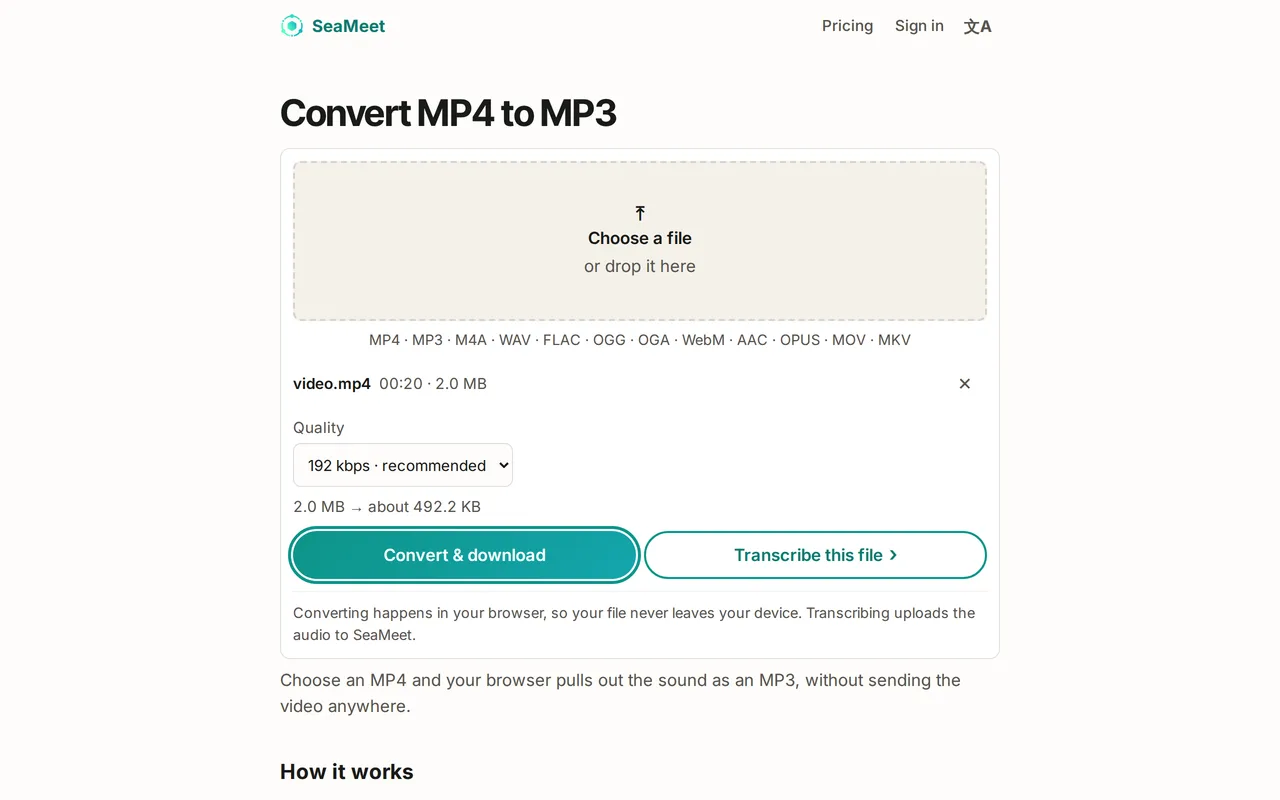
To convert an MP4 to MP3, keep the video’s sound and save it as an MP3 file. SeaMeet’s free MP4 to MP3 converter does it in your browser: choose the video, pick a quality and the MP3 downloads, with no upload and no account.
Convert MP4 to MP3 in four steps
Works on a computer or a phone, in a recent Chrome, Edge or Firefox.
- 01
Open the MP4 to MP3 converter
Open SeaMeet’s Convert MP4 to MP3 page and select Choose a file, or drop the video onto the box. MOV, MKV and WebM videos work too.
- 02
Pick the quality
Under Quality, keep 192 kbps · recommended for most videos. Choose 128 kbps for a smaller file, or 256 or 320 kbps for music. The page shows roughly how big the MP3 will be.
- 03
Select Convert & download
Your browser reads the video, keeps the sound and writes the MP3. A progress bar shows how long is left, and you can cancel at any time.
- 04
Save the MP3
The MP3 downloads automatically under the video’s name: talk.mp4 becomes talk.mp3. If the download doesn’t start, use the Download link on the page.
Which quality should you choose?
The MP3 is a new, compressed copy of the video’s sound, not a bit-for-bit copy. 192 kbps sounds the same as the video for speech and most music. A higher setting can’t add quality the video didn’t have, so 320 kbps is only worth it for music from a high-quality source.
- 128 kbps · smaller: talks, lessons, meetings and podcasts.
- 192 kbps · recommended: a good default for anything.
- 256 or 320 kbps · higher quality: music where you want to keep as much detail as possible.
Good to know before you convert
Nothing is uploaded, so the size of the video doesn’t matter: only your device’s free storage for the MP3 does. On some phone browsers, an MP3 over 128 MB can’t be created; convert very long videos on a computer.
The MP3 is stereo, or mono if the video is. Surround sound is mixed down to stereo. A video with no sound can’t be converted, and the page says so. Zoom, Teams and screen recordings are ordinary MP4 files and convert the same way.
Try it
Convert your MP4 to MP3 now
Choose a video and download its sound as an MP3. Free, no account, and the video never leaves your device.
FAQ