How to transcribe audio to a Word document
To get a recording into Word, transcribe the audio, then download the transcript as a DOCX file. With SeaMeet you upload the audio, open the transcript and choose Download, then Word (.docx): you get an editable document with speaker names and timestamps. The first 15 minutes of each file are free.
Transcribe audio to Word in five steps
Works with MP3, M4A, WAV, FLAC, OGG, OPUS, AAC, AMR and video files, up to 5 hours each.
- 01
Open the audio to Word converter
Open SeaMeet’s Audio to Word converter and select Choose a file, or drop your recording onto the box.
- 02
Set the spoken language
Under Spoken language, pick the language of the recording from the list of 55, or choose Detect automatically.
- 03
Select Transcribe
The audio is uploaded and the transcript is prepared. If the button says Sign in free to transcribe, sign in first; your file is kept. You can close the tab: the transcript will be in your library.
- 04
Open the transcript and select Download
When the transcript is ready, open it and select Download above the transcript.
- 05
Choose Word (.docx)
The Word file is created in your browser and saved as the recording’s title and date, ready to edit.
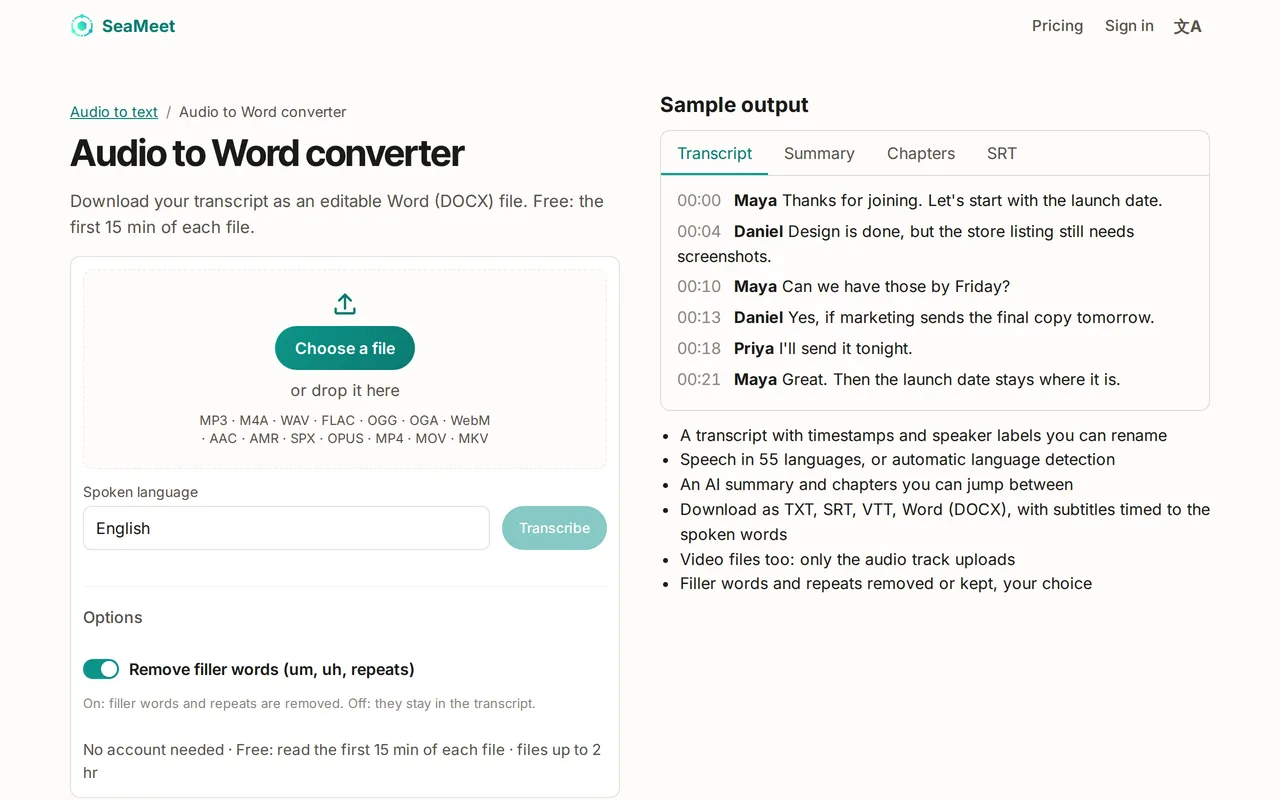
What’s in the Word document
The document starts with the recording’s title and date. Then each passage follows on its own line: its start time, the speaker’s name in bold, and what they said. Arabic and Persian transcripts are laid out right to left.
Need more than the transcript? The recording’s Download options menu has Word document (all): the summary, action items, chapters and notes, followed by the transcript, in one file.
What you get for free
With a free account, the Word file holds the first 15 minutes of each recording and ends with a line about unlocking the rest. You can transcribe up to 10 files a day and 6 hours in total. Sync Pro gives you the full transcript in Word, for every file.
Try it
Turn your recording into a Word document
Upload the audio, then download the transcript as an editable DOCX with speakers and timestamps. The first 15 minutes of each file are free.
FAQ