How to convert a video to text
To convert a video to text, upload it to a transcription tool and download the transcript. With SeaMeet you choose the video, set the spoken language and get a transcript with speaker labels and timestamps that you can download as Word, text or subtitles. The first 15 minutes of each file are free.
Convert a video to text in five steps
You need the video as a file (MP4, MOV, MKV or WebM). A link to a video page doesn’t work.
- 01
Open the video to text tool
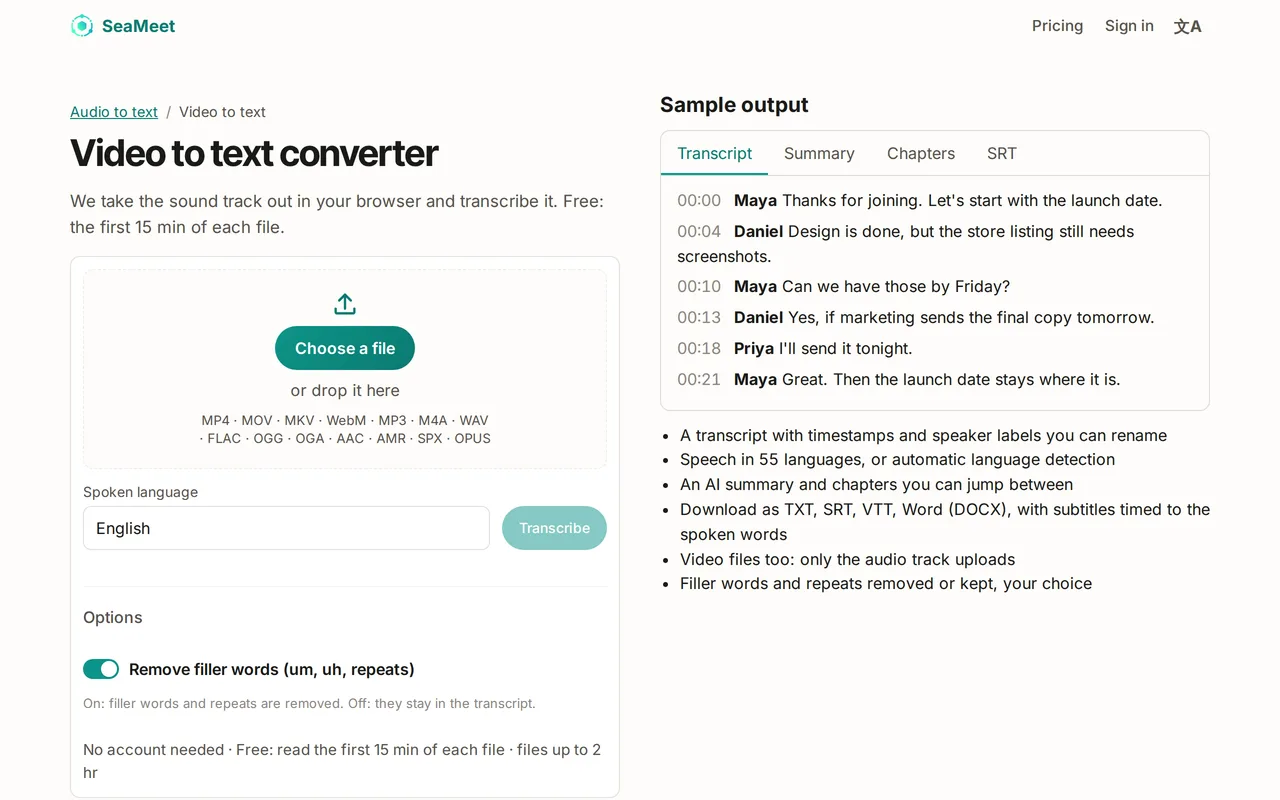
Open SeaMeet’s Video to text converter and select Choose a file, or drop the video onto the box.
- 02
Set the spoken language
Under Spoken language, pick the language of the video from the list of 55, or choose Detect automatically.
- 03
Choose the options
Remove filler words (um, uh, repeats) is on by default for a cleaner read; turn it off for a word-for-word transcript.
- 04
Select Transcribe
Your browser takes the sound out of the video and uploads it, then the transcript is prepared. If the button says Sign in free to transcribe, sign in first; your file is kept.
- 05
Read and download the text
Open the transcript, select Download and choose Word (.docx), Text (.txt), Subtitles (.srt) or Web subtitles (.vtt).
What happens to your video
SeaMeet copies the sound track out of the video in your browser, without re-encoding it, and uploads that audio first: it is what gets transcribed, so the transcript doesn’t wait for a large video to upload. MP4, MOV and WebM videos are then also uploaded to your SeaMeet library, so you can play the video next to its transcript. For an MKV, only the audio is uploaded.
The 512 MB limit applies to the sound, not to the whole video, and a video can be up to 5 hours long. If a video’s sound uses an encoding the browser can’t read, such as AC-3 or DTS, export it again as an MP4 with AAC sound.
What you get for free
On the free plan you can read the first 15 minutes of each transcript, transcribe up to 10 files a day and 6 hours in total. Every transcript has speaker labels and timestamps. Sync Pro unlocks the full transcript of every file.
Try it
Turn your video into text
Choose the video, set the language and get a transcript with speaker labels and timestamps. The first 15 minutes of each file are free.
FAQ