How to Record a Telegram Call with a Transcript
Table of Contents
Telegram is the app that never forgets. Chat history lives in the cloud, syncs to every device you sign into, and stays searchable indefinitely — scroll back a decade and the messages are sitting there, dates and all. People lean on this so hard that Saved Messages has become a filing system for a whole generation: links, documents, voice notes, anything worth keeping gets forwarded to self.
Then the call ends, and there is nothing. The hour spent negotiating, interviewing, or untangling a project produced zero bytes inside the account that keeps everything else. Of all the conversations Telegram stores for you, the only one that happened in real time is the one it keeps no record of.
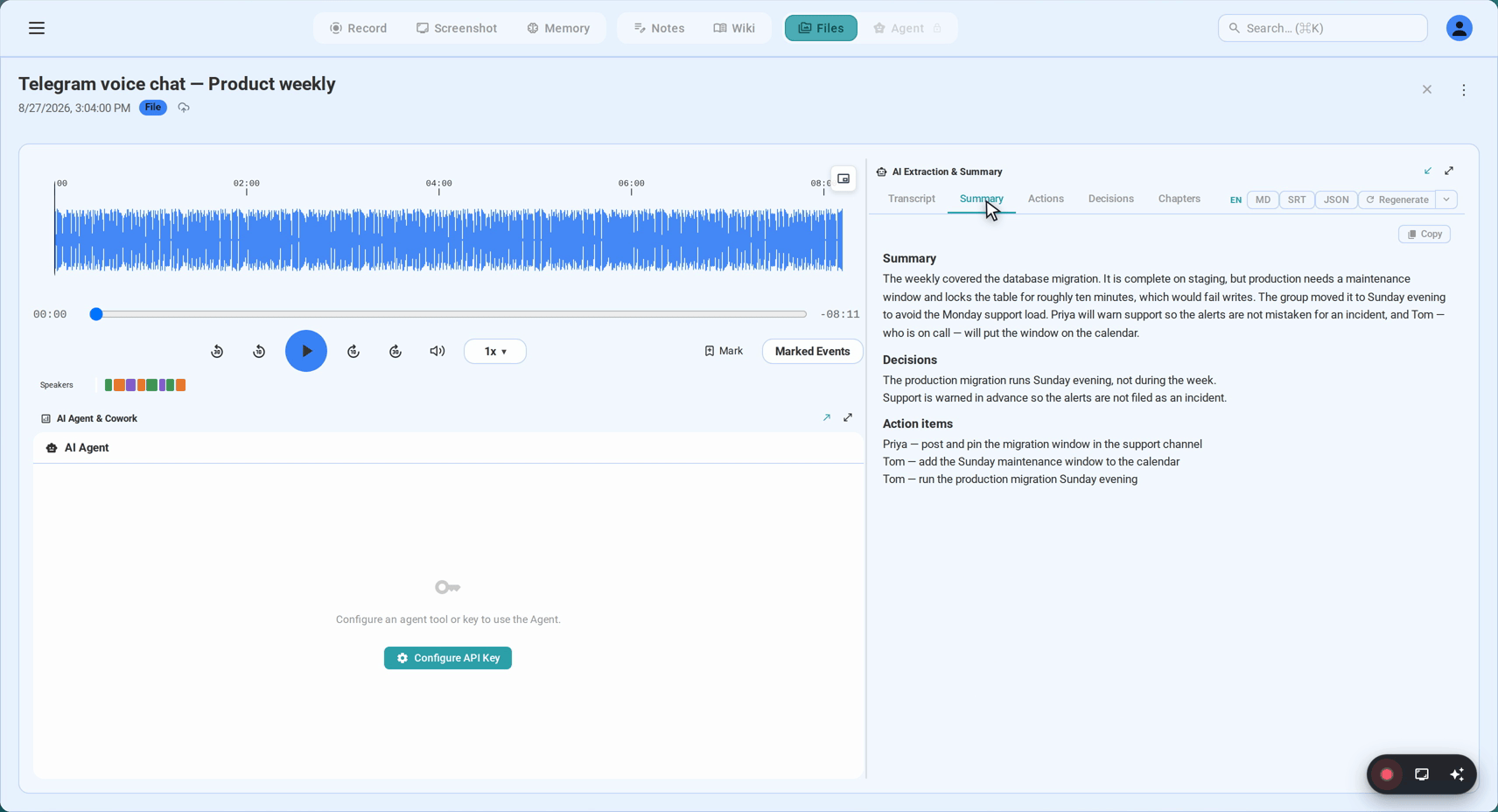
This guide fixes that asymmetry from the computer: how to record Telegram voice and video calls — and the group voice chats that groups and channels run — using SeaMeet’s Telegram recorder, captured on your own machine with nothing joining the call, and turned into a live transcript while you talk instead of an audio file nobody will ever replay.
Why a Telegram call resists recording
Ask how to record a call and you will collect a few standard answers. On Telegram, each one lands badly, for reasons worth thirty seconds.
The app itself has no recorder. No client has ever shipped one — not the phone apps, not Telegram Desktop, not the web version. There is no setting to flip and no button anyone hid from you. Whatever gets recorded has to get recorded from outside Telegram.
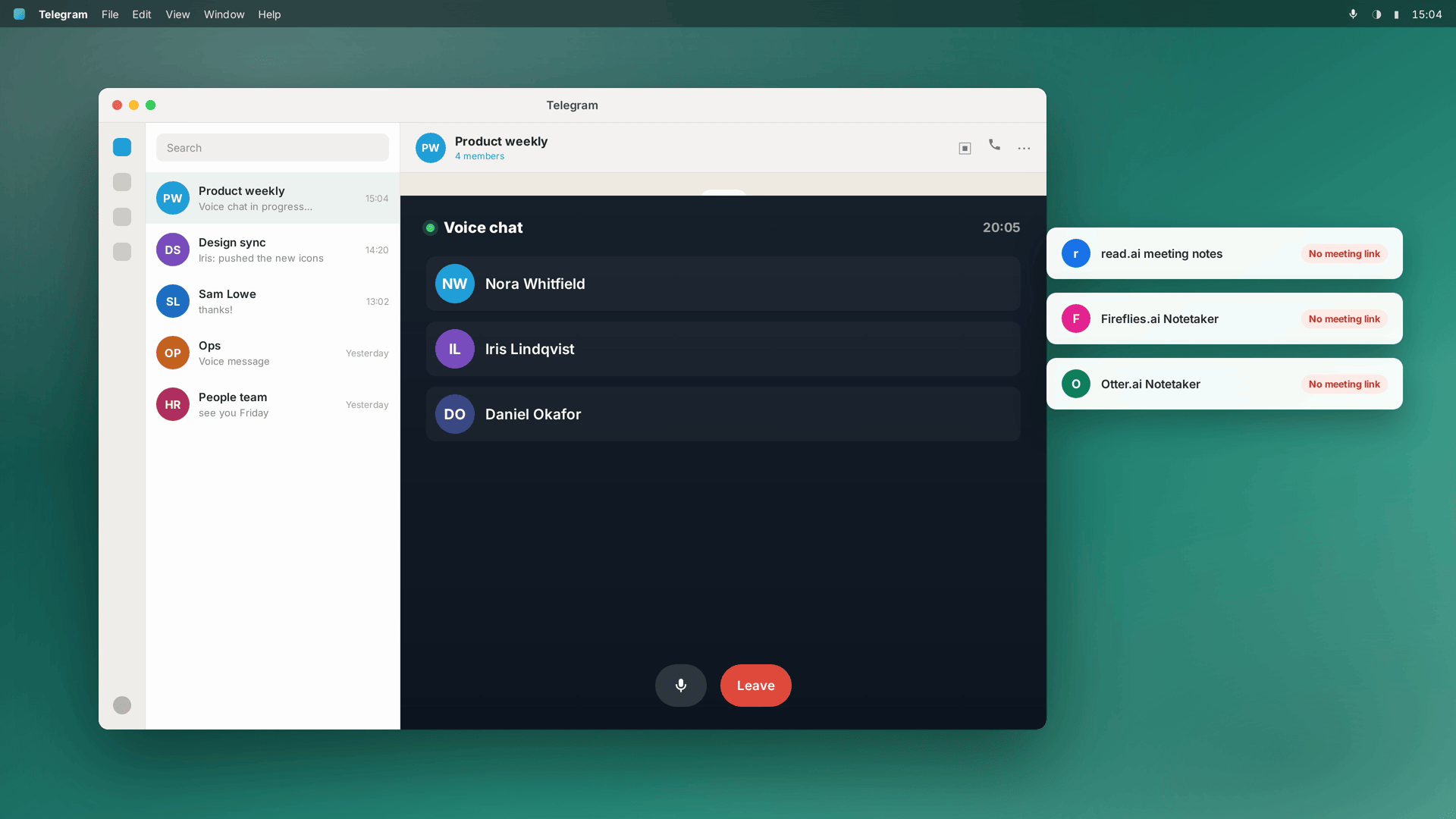
And the bot platform can’t bot its way in. The irony is thick here: Telegram is the most bot-friendly messenger in existence — bots administer groups, take payments, run news channels, operate entire businesses. None of that helps an AI notetaker, because notetakers are built to attend meetings, and a Telegram call is not a meeting. It starts inside a chat, person to person or inside a group, with no invite and no dial-in link — there is nowhere to issue a participant badge to. The one tool category with the most to offer a phone call has no door into a phone call.
Encryption answers a different question. Every Telegram voice call is end-to-end encrypted. What that prevents is Telegram’s servers listening in — not the endpoints. Your device and theirs each receive the full conversation, decoded, on the way to your speakers. Which is precisely why capturing at your own machine works, and why the question “can someone record a Telegram call?” has always had the quiet answer yes, either end can.
So the exit is the usual one — move to a computer, where the call becomes ordinary audio your machine is playing — except Telegram, happily, makes that exit unusually wide.
The wide door: Telegram Web actually takes calls
Here is what makes Telegram the easiest case in its whole family of apps: web.telegram.org does voice and video calls. Not a text-only web client with calling bolted on elsewhere — calls run fully in the browser tab, after a QR pairing with your phone. The entire call, and the recorder, can therefore share one browser, with nothing installed anywhere.
Your two doors on a computer:
- Telegram Web — sign in at web.telegram.org, take calls in the tab. Zero downloads in the whole flow, Telegram side included.
- Telegram Desktop — the native macOS and Windows app. Where daily drivers take their calls, and where the auto-detecting recorder in Method 2 does its best work.
Method 1: two tabs, nothing installed
The fastest route, and the one the record a Telegram call page hands you:
- Open web.telegram.org and sign in. Settings → Devices on your phone shows the QR code; the session pairs in seconds.
- Start or answer the call in that tab. Voice or video — allow microphone and camera the first time the browser asks.
- Open app.seameet.ai in a second tab. Chrome, Edge or Safari; no download is coming.
- Choose “A browser tab”, pick the Telegram tab, and switch on “Share tab audio”. That toggle is what ferries the other voices into the file — leave it off and you will have produced muted footage of a chat window.
- Record. Words start lining up on screen while the call is still running; stop it when you wrap up.
No account is needed to open the first 15 minutes of any recording, and the free plan banks six hours of transcription that never expires.
If your whole workday lives in Chrome: the same tab capture also exists as a Chrome extension. A Telegram Web call is just a tab, and the extension takes any tab — sound and picture together — from its side panel, so no second app-tab needs to hang around. Install once and the recorder sits in the toolbar, ready the next time a call comes in. The output is identical either way.
Method 2: the desktop app, for the calls on your calendar
If Telegram calling is a weekly rhythm — a standing client sync, a collaborator who thinks in voice notes and calls — install SeaMeet’s desktop app for Mac or Windows once, and the two-tab choreography disappears:
- Install and launch. Say yes to the screen and microphone prompts that appear the first time it runs.
- Let it idle in the background. Between calls it waits, listening for system audio, recording nothing.
- Take the call — Telegram Desktop or browser, your choice. SeaMeet notices a Telegram call is live and offers to roll; one click and capture is running.
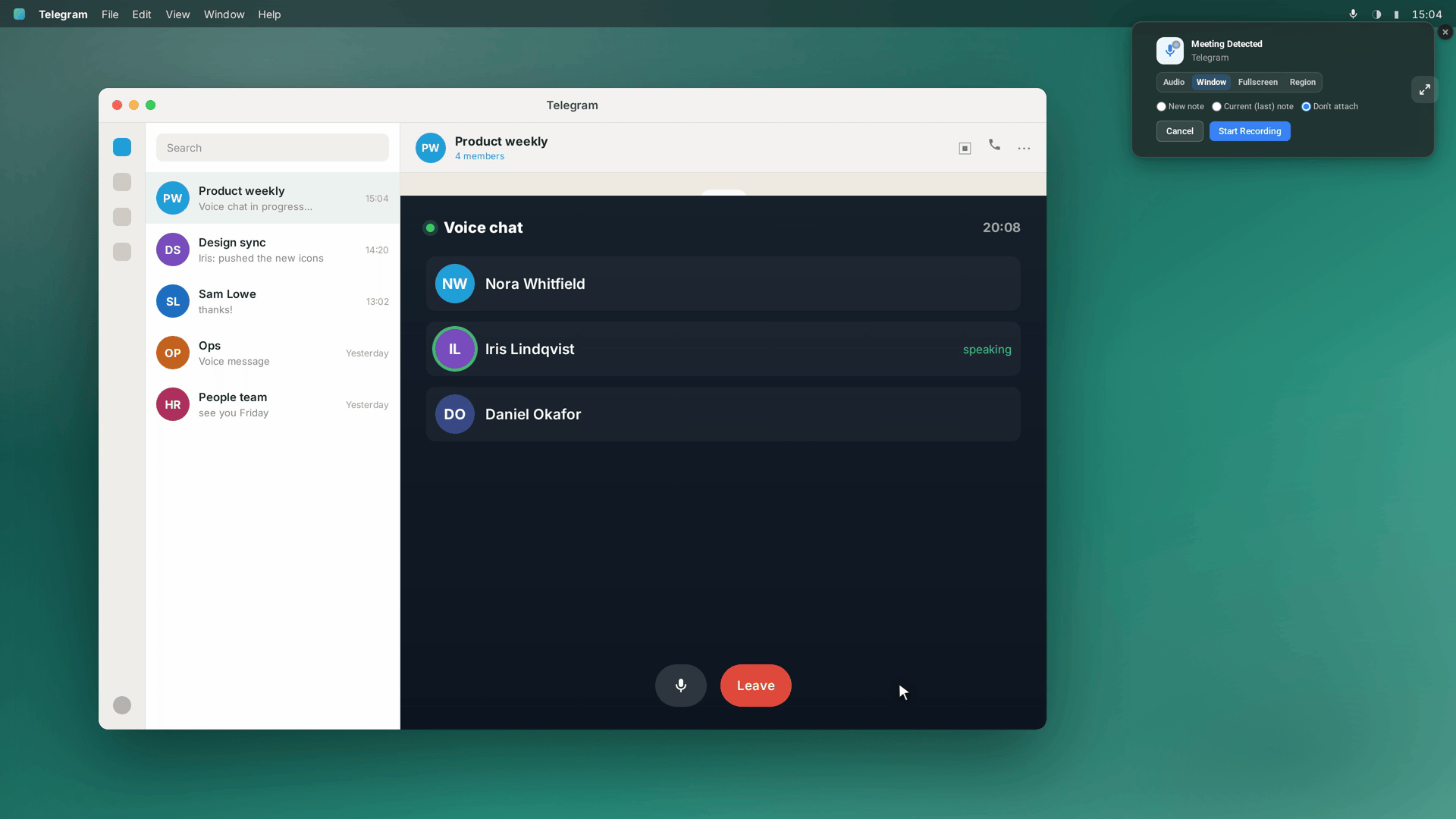
Because the tap sits at system level, the far end of the conversation arrives on its own — no share dialog mid-call, no unfamiliar face in any participant list — and recording wraps when the call does. Started ninety seconds too late? Flashback pulls the two minutes before your click into the file, so the sentence that made the call worth keeping is already there.
Voice chats: the group calls Telegram already runs
A one-to-one call is not the only live audio in Telegram. Groups and channels host voice chats — standing audio rooms people drift in and out of, used for team check-ins, community hangouts, AMAs with an audience. From your computer’s chair, a voice chat is the same job as any call: audio the machine is already playing. The recorder does not ask whether the room holds three people or a crowd that runs to four figures — it keeps what you hear, all of it.
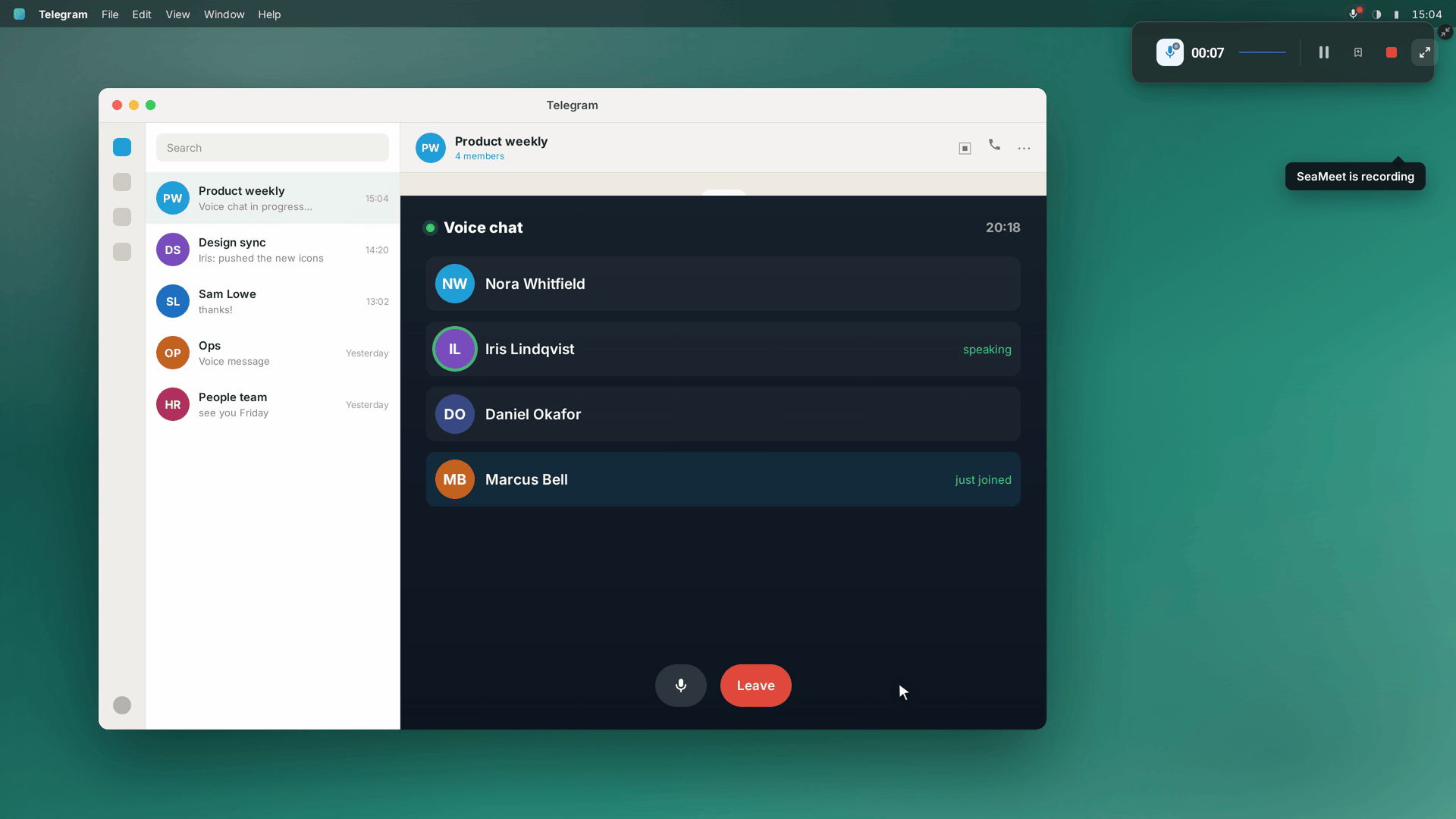
Two voice-chat details worth knowing. Latecomers are simply part of the deal: whoever joins a room mid-recording is captured from their first word. And the transcript separates speakers by voice; in a big room you may want to tidy a few names in the library afterwards, which takes seconds.
What the call turns into
The recording is raw material. What you actually keep:
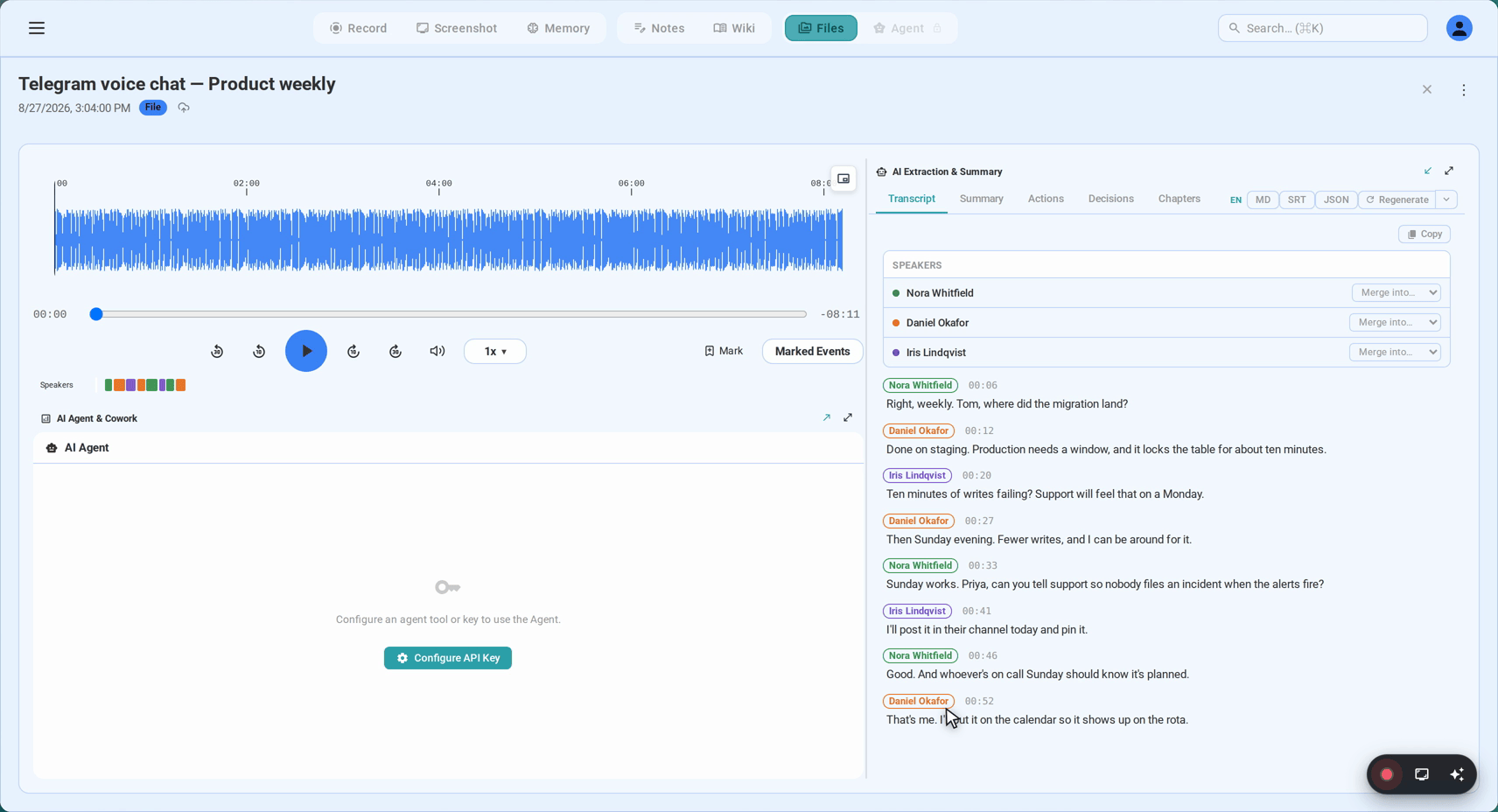
A live transcript with speakers apart. It builds during the call — timestamped, speaker-labelled, correctable afterwards. Telegram’s footprint runs across Eastern Europe, the Middle East, Central and Southeast Asia, and the transcription is built for exactly that sprawl: 20+ languages auto-detected, Russian to Vietnamese, Arabic to Hindi, Mandarin, Cantonese, Japanese and Korean included — and it holds up when a call slides between two languages inside one sentence.
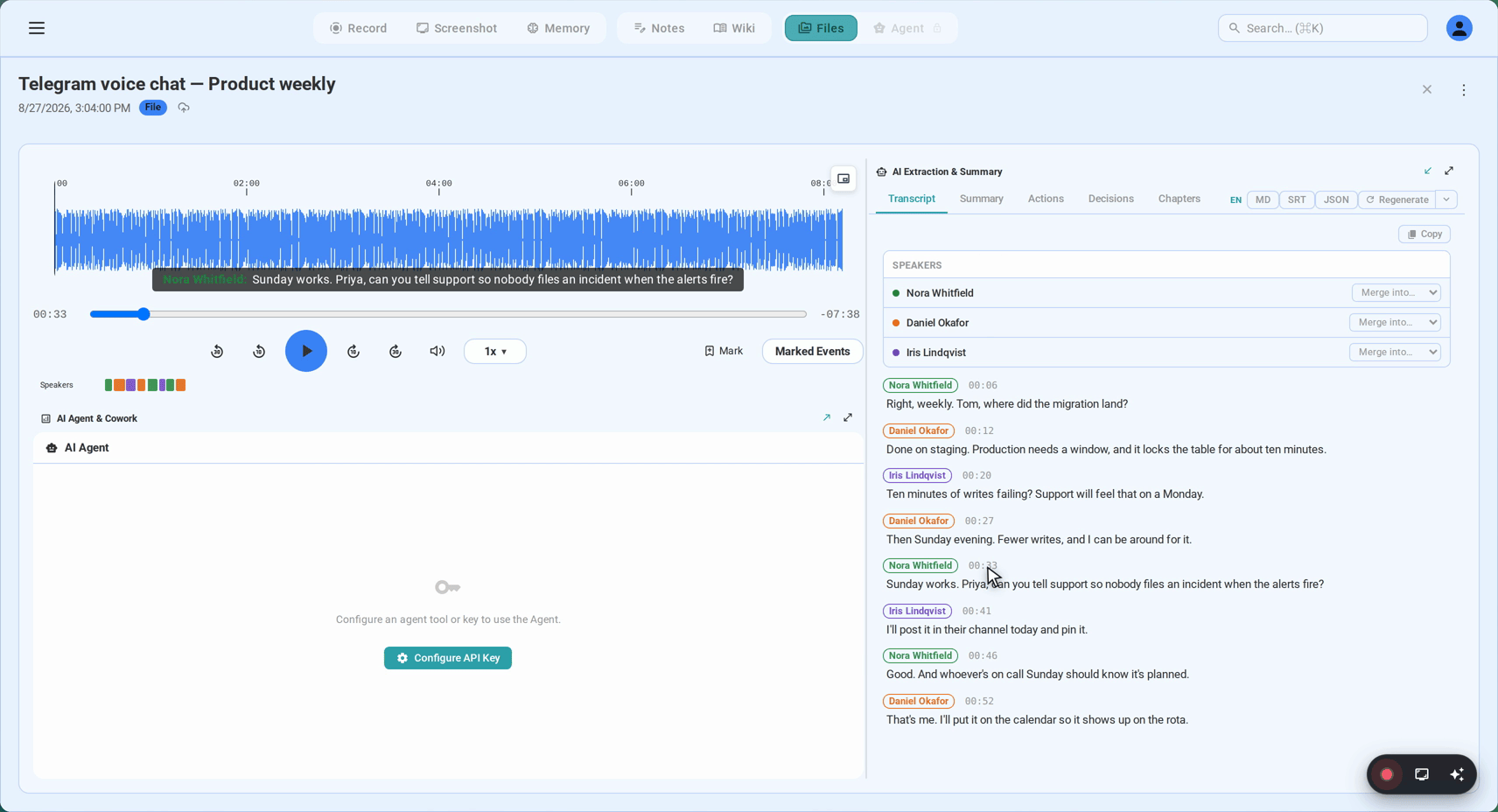
Every timestamp doubles as a seek button: click a line and the audio jumps to that moment, which is how you re-hear the one sentence that actually mattered.
A summary you can forward. What was decided, what actions fell out, who owns what — generated about a minute after hangup, written in the language the call actually ran on, ready to drop into a chat or a ticket.
A Memory entry. The call files itself under the people and the organization it involved. By the tenth conversation with the same group, you are not digging through ten recordings — you are reading one thread that assembled itself.
The accounting: the first 15 minutes need no signup, the free tier’s six hours of transcription last as long as you use them, and past that Sync Pro runs $15.99/month, or $12.99/month on the annual plan.
Encryption and consent, briefly
Recording does not argue with the encryption. The scrambling protects the call while it travels, device to device, and this flow never touches it. SeaMeet takes the audio after your machine has already decoded it — the sound on its way to your speakers, the same one your ears got. Nothing is intercepted in transit, and nothing changes for anyone else on the call.
Telegram will not tell them. You should. No indicator lights up anywhere, because as far as Telegram knows, no recording exists. An audience that chose this app because it is privacy-forward deserves the sentence out loud. Consent law splits by geography — one-party jurisdictions let a participant record, all-party jurisdictions want everyone’s yes, and workplace policy is often stricter than either. One line at the top of the call, in whatever language you share: “I’m recording this so nothing gets lost — say the word if that’s a problem.” For voice chats, recording openly is simply the norm the room expects.
FAQ
Does Telegram have built-in call recording?
No — no platform, no client, no switch to enable. Every workable method records from outside the app, which is what makes capture-at-the-computer the natural shape of the solution.
Will the other person know I’m recording?
Nothing will tell them. Telegram shows no indicator and no participant appears, so the disclosure falls to you — the consent section above is the whole playbook.
Can I record Telegram voice chats and group calls?
Yes, and identically: the audio your machine is playing is the audio that gets kept, whether the room is a two-person call or a public voice chat with an audience. AMAs, community rooms and team standouts all come out with a transcript.
Could someone record a Telegram call without me knowing?
Yes — assume so. End-to-end encryption keeps the operator out of the middle; it does nothing about the endpoints, and the far end hears everything you say in decoded form. Any participant can capture their own playback exactly as described here. Call privacy is a social agreement, not a technical guarantee — one more reason to announce recordings rather than assume silence.
Doesn’t Telegram transcribe voice messages already?
It does — voice and video messages convert to text in-app, a feature that started as a Premium perk with a short language list and has been reaching free accounts since. Messages are where it stops: a live call has no transcript in Telegram, on any plan. Saved voice or video message files can be imported into SeaMeet, though, so calls and messages end up searchable in the same library.
Do secret chats change any of this?
No. Secret chats are end-to-end encrypted text conversations, and they do not extend to calls — but voice calls carry their own end-to-end encryption regardless of which chat they start from. Either way, capture happens at your device’s playback, so the recording path is unchanged.
Is it legal to record a Telegram call?
Geography decides. Some jurisdictions accept one-party consent, others require everyone’s agreement, and employers often add rules of their own on top. Stating it at the start satisfies all versions at once, and takes five seconds.
See it in 60 seconds
Related articles
Tags
Ready to try SeaMeet?
Join thousands of teams using AI to make their meetings more productive and actionable.
Free: 6 h lifetime transcription · first 15 min revealed