How to Record a Viber Call with a Transcript
Table of Contents
Somewhere past the edge of every messaging app, the internet runs out. The aunt on a landline in the province, the supplier whose “office” is one feature phone, the client who never installed anything — for those numbers, Viber users press the one button that turns an app call into a phone call: Viber Out. And that button is also where the record disappears. A call between two Viber accounts at least lives in a chat thread; a call that lands on a plain phone number produces nothing — no history, no note, just minutes billed and gone.
That is the quiet problem this guide solves for 2026: recording Viber voice and video calls on your computer — Viber Out included — with SeaMeet’s Viber recorder writing a live, speaker-labelled transcript while you talk, in the languages Viber’s world actually speaks.
Why a Viber call is awkward to keep
Viber records nothing. No client on any platform ships call recording. Chat history exists; calls do not enter it. Ask the search engines “can Viber record calls” and you get a decade of workarounds — none of them from Viber.
The desktop app is the only Viber that matters here. Viber has no real browser client; the call you want exists on your phone or in the native Mac and Windows app, nowhere else. So every recorder path funnels through that desktop window — which is fine, as long as the recorder knows what to do with it.
The standard answers stop at a file. The first page of results for recording a Viber call is screen-recorder vendors: their tools will happily produce a video of a window and wish you luck with the rest. What happens after — finding the sentence where the price was agreed, an hour into a call, in a language your notes app doesn’t type — is your problem. That after-part is the whole point here.
Method 1: the desktop app, auto-detecting Viber
The main path, and the flow behind the record a Viber call page:
- Install SeaMeet’s desktop app for Mac or Windows. One round of screen and microphone permissions on first launch, then it stays out of sight.
- Make or take the call in Viber Desktop. Account-to-account voice and video, group calls, a Viber Out call ringing a landline — the app plays all of them through the same system audio, and all of them get detected.
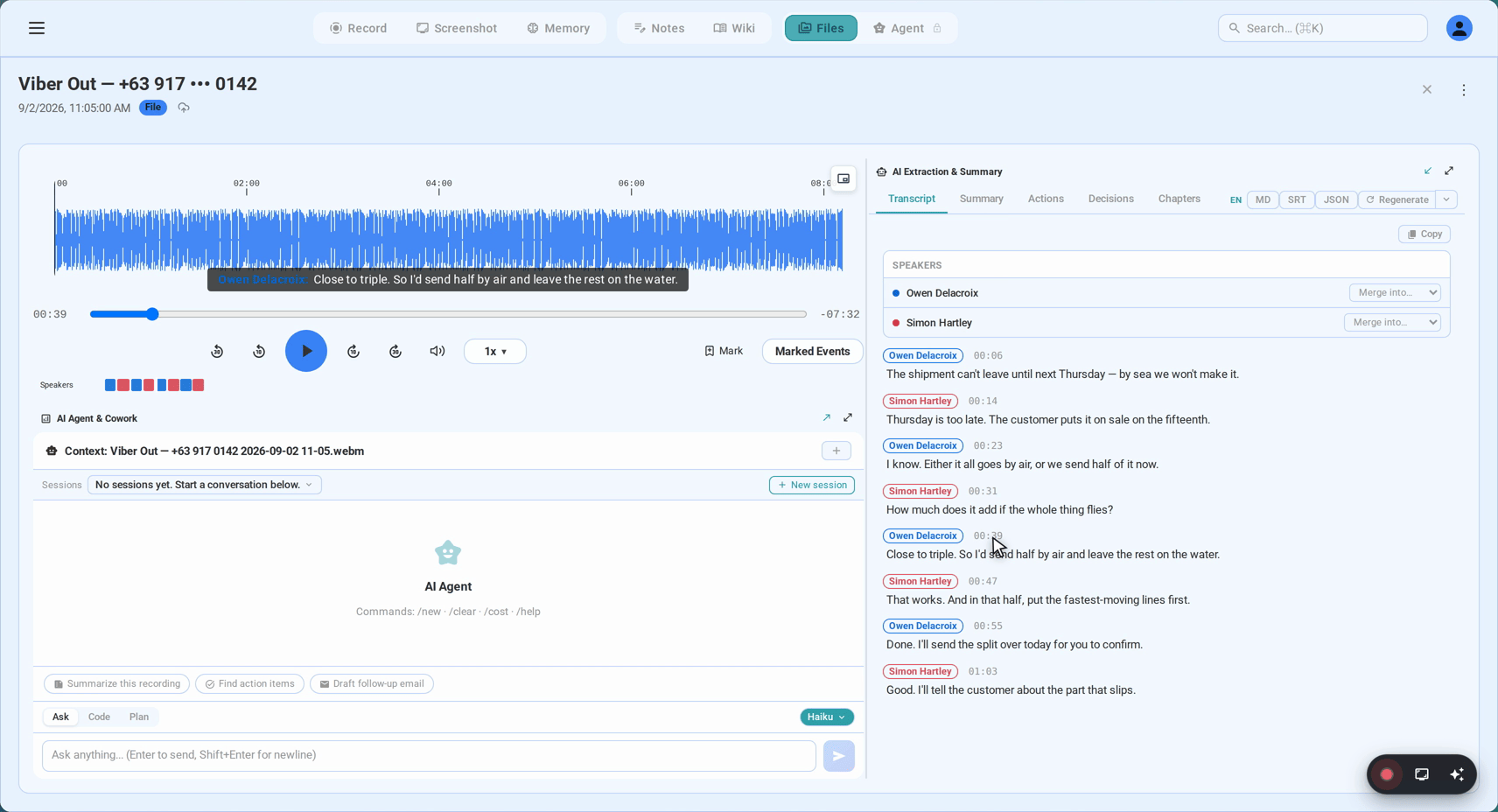
- Click Record when the notification slides in. A live transcript starts filling while the call is still running.
- Hang up. Audio, transcript and a written summary are already in your library. The capture ran locally; nothing uploaded while you were talking.
The pickup happens at the system-audio level, which has two consequences worth knowing. The far side of the call arrives without any sharing dialog interrupting anyone. And a Viber Out call is just more audio as far as the recorder is concerned — the number you dialled doesn’t change what your machine plays, so landline calls get the same transcript as app-to-app ones. If a call only reveals its importance at minute twenty, Flashback has the two minutes before you pressed Record saved anyway.
Method 2: the browser recorder, zero install
The web app records the same call with nothing downloaded — screen recording at its plainest, aimed at the Viber window:
- Open the Viber recording page in Chrome or Edge. It shows the share-picker steps for this exact app.
- Pick the Viber Desktop window (Entire Screen works as well) and keep “Share system audio” switched on — untick it and you’ll record a silent movie.
- Leave your microphone enabled so your half of the conversation reaches the transcript too.
- Start, talk, stop. The transcript, summary and recording file into your library together.
On a Mac, the system-audio toggle depends on a current Chrome — Windows, ChromeOS and up-to-date Chrome on macOS all expose it. An older picker means Method 1 is your friend on Mac, and the QuickTime-plus-BlackHole route remains written up in the Mac and Windows guides.
Group calls and Community broadcasts
Viber group voice and video calls run to 60 participants, and the recorder’s chair sees no difference: the mixed audio your machine plays is the audio that gets kept. Speaker separation works from voice patterns, best-effort on a crowded call and correctable with one rename per person afterwards.
Audio broadcasts inside Viber Communities — the voice rooms attached to large group chats — render like a regular call on the desktop app. Capture is identical: if your Community runs announcements worth keeping minutes of, they come out as one clean transcript like any other call.
What you keep when the call ends
A transcript in the languages Viber actually carries. Viber’s centre of gravity is Eastern Europe, the Balkans, the Middle East and Southeast Asia, and the transcription covers that map natively — Russian, Ukrainian, Belarusian, Polish, Romanian, Vietnamese, Filipino, Bahasa Indonesia and more, 20+ languages with automatic detection, holding up when one speaker drifts between two of them mid-sentence.
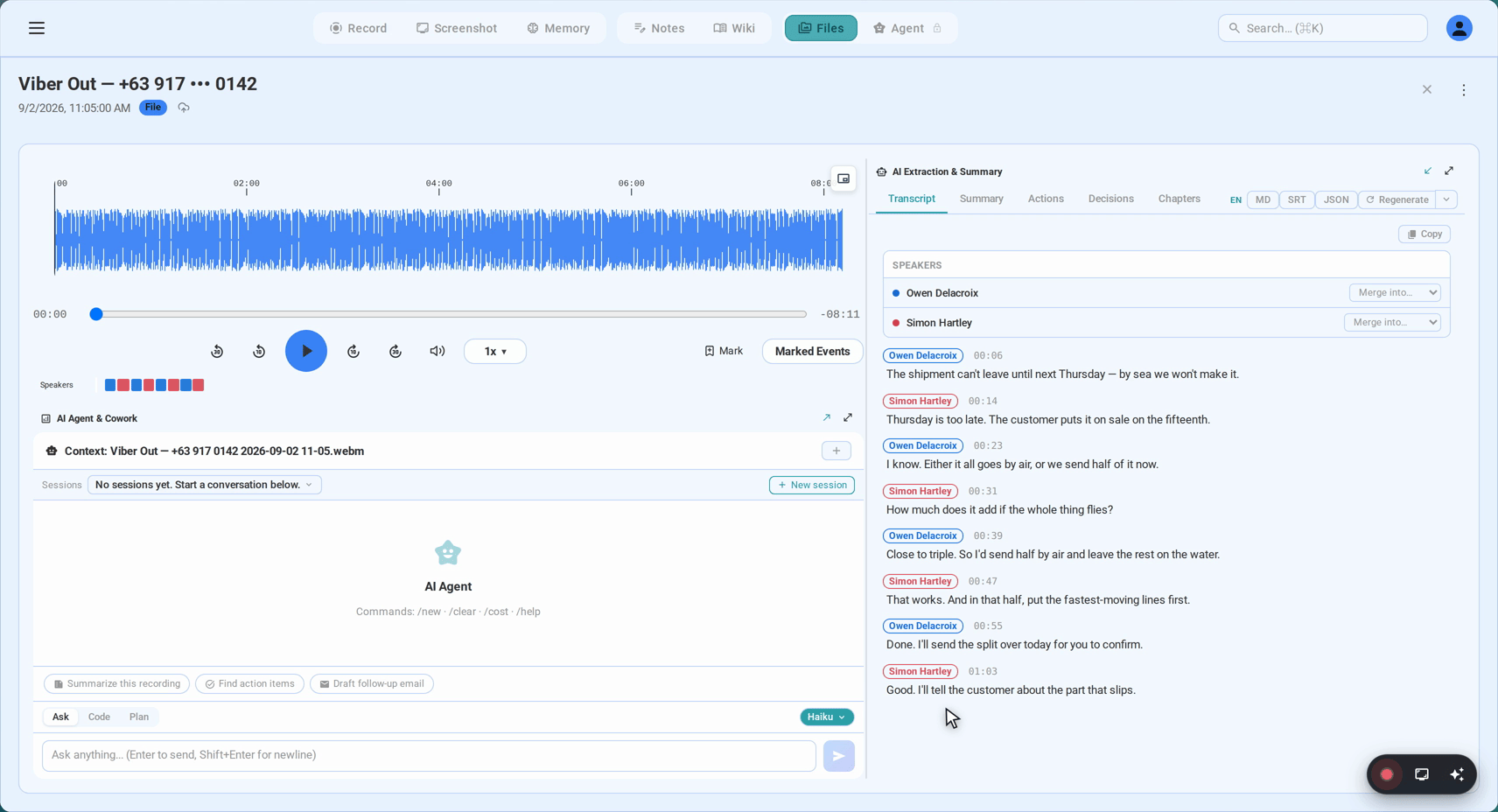
Every line carries a timestamp that doubles as a seek control — click, and the audio jumps to that exact word.
A summary written to be forwarded. A minute or so after hangup, the decisions, action items and owners arrive as prose, in the call’s own language — ready for the family group chat, the supplier thread, or the CRM note.
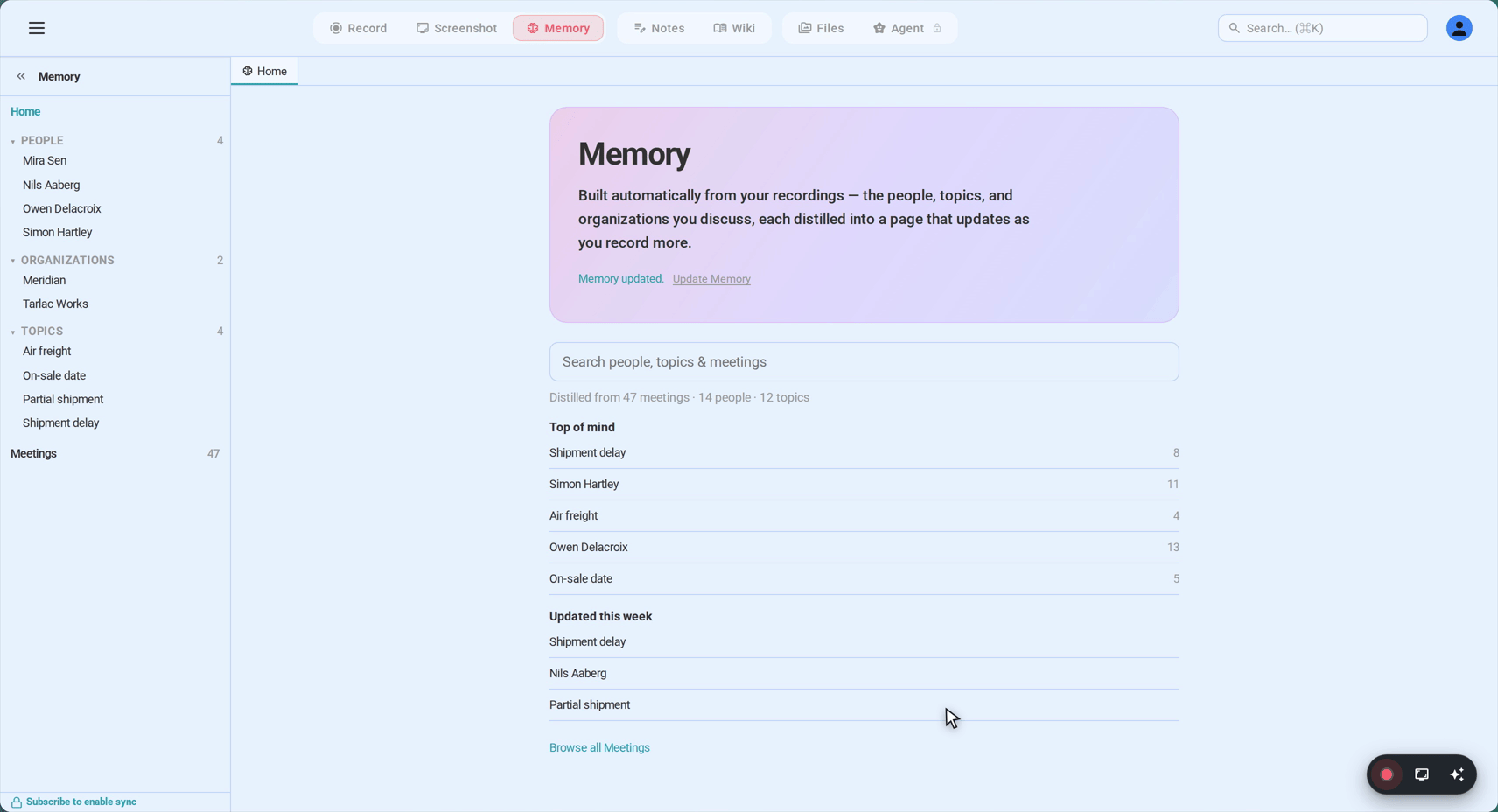
A library that accumulates instead of scattering. Recordings file themselves under the people and organisations involved. Call the same wholesaler every week for a season and you are not excavating twenty audio files; you are reading one thread with a history. Even Viber’s own chat backups stay locked inside Viber — these recordings export to plain file formats that go wherever you decide.
The pricing picture: the first 15 minutes of any recording cost nothing and need no signup, the free tier holds six hours of transcription with no expiry, and Sync Pro lifts the cap at $15.99 month-to-month or $12.99/month on an annual plan.
Consent, on a network that crosses borders
A Viber call can have one participant in Athens and another in Manila, which is exactly why recording it deserves a spoken announcement: consent law differs jurisdiction by jurisdiction, the EU leans all-party, and a sentence at the start — “I’m recording this so we both have the notes” — clears the bar everywhere at once. Viber itself will never announce the recorder; no indicator, no participant, no trace. That silence makes the disclosure yours to make, and the Viber Out case is the sharpest one: the person on the landline has no chat window to see a notice in, so saying it out loud is the only channel they have.
FAQ
Does Viber have built-in call recording?
No. No Viber client records calls, on any platform, and it never has — a decade of search results consists entirely of external workarounds. Chat history is all Viber keeps, which is why calls need a recorder that listens outside the app.
Will the other person know I’m recording?
Viber shows no indicator and adds no participant — from the app’s point of view, no recorder exists. The disclosure is entirely your move, and the consent section above is the whole playbook, with extra weight when a landline is on the line.
Can I record Viber Out calls to landlines and mobile numbers?
Yes — that’s a headline case for the desktop path. A Viber Out call is audio played by Viber Desktop like any other, so system-level capture picks it up identically, and the transcript comes back the same way. Tell the far side you’re recording: a person on a plain phone has no other way to know.
What about group calls — and how many people?
Group voice and video calls run to 60 participants and record cleanly by the same method; the full mixed audio is kept regardless of headcount. Speaker labels come from voice patterns, so expect some renaming on busy calls — it takes seconds per person in the library.
Can I record a Viber Community audio broadcast?
Yes. Community voice rooms arrive at the desktop app as ordinary call audio, so they capture exactly like a private call. For Communities that run announcements or AMAs, this is the difference between a memory and minutes.
Can Viber voice messages be transcribed?
Voice notes are files, not calls, so the live path doesn’t apply — save the message out and drop it into SeaMeet’s import flow, and it returns as a transcript filed alongside your calls. Viber’s own voice-to-text, where your region or plan offers it, is for voice messages too; calls have never had a transcript button, which is the gap this guide fills.
Is it legal to record a Viber call?
It depends on where every participant sits. One-party-consent jurisdictions let a participant record freely; all-party places — much of the EU included — want every voice to agree, and workplaces add their own rules on top. A spoken announcement at the start satisfies the strictest version you’re likely to meet.
Can I record a Viber call on my phone?
SeaMeet’s own paths are desktop ones, and Viber offers nothing on mobile either. The fallback that always exists: the iPhone or Android screen recorder captures your side reliably and the far side depending on the OS, and whatever it produces imports into SeaMeet for the transcript — the same rescue route as every other messenger.
See it in 60 seconds
Related articles
Tags
Ready to try SeaMeet?
Join thousands of teams using AI to make their meetings more productive and actionable.
Free: 6 h lifetime transcription · first 15 min revealed