How to Record a WeChat Call with a Transcript
Table of Contents
Everything in WeChat gets written down. The chat thread is the contract, the receipt, the group decision, the delivery address — scroll back five years and it is all still there. Except the calls. The voice call where the price actually moved, the video call where the design finally got approved — that half of the record simply does not exist. WeChat keeps your text forever and your conversations for exactly as long as they last.
This guide is about closing that gap from a computer: recording WeChat voice and video calls with SeaMeet’s WeChat recorder, captured locally with nothing joining the call, and turning them into transcripts that read cleanly across Mandarin, Cantonese and English — which is the mix most cross-border WeChat calls actually are. The consent part matters here more than anywhere else, so it gets its own section too.
Why the call is WeChat’s blind spot
Three reasons, and they compound.
No app will record it for you. Neither consumer WeChat nor WeChat Work (企业微信) ships call recording — on the phone, on the desktop, anywhere. Whatever capture happens has to happen from outside the app.
Meeting notetakers cannot be invited. An AI notetaker gets into a meeting the way any guest does: through an invite or a link it can dial. WeChat calls begin straight from a chat window, one-to-one or in a group, and there is no link to hand anyone. The entire notetaker category is outside looking in.
Phone recording is half a solution. The screen recorder on iOS or Android will reliably capture your own voice; whether the other side of the call survives depends on the operating system, the vendor, and some luck. Half a recording is worse than none — it looks like a record and isn’t.
The exit, as usual, is a computer — but with WeChat there is a twist worth understanding first.
Where a WeChat call can live on your computer
Two doors, and which one is open depends on which WeChat you use:
- WeChat Desktop — the consumer app for macOS and Windows, calls included. This is where personal and most business calls happen, and it is the path this guide leads with.
- WeChat Work’s web client, at wework.wechat.com — if your counterpart runs on 企业微信, its calls run in an ordinary browser tab, which opens a second capture route (Method 2 below).
What the consumer app does not offer is calling on the web — there is no browser path into a personal WeChat call. The call is in the desktop app, or it is on your phone.
Consumers and most one-to-one business relationships live on the green app; larger organisations increasingly keep internal and supplier communication on Work, which is why it is worth knowing both doors exist.
Method 1: the desktop app — install once, then it just notices
The main event, and the record a WeChat call flow in brief:
- Install SeaMeet’s desktop app for Mac or Windows. Grant the screen and microphone permissions it requests on first run — that is the entire setup.
- Leave it running. Between calls it does nothing; it watches system audio and records only what you approve.
- Start or answer a WeChat call in WeChat Desktop. Voice, video, group — SeaMeet recognises the call and asks, once, whether to record.
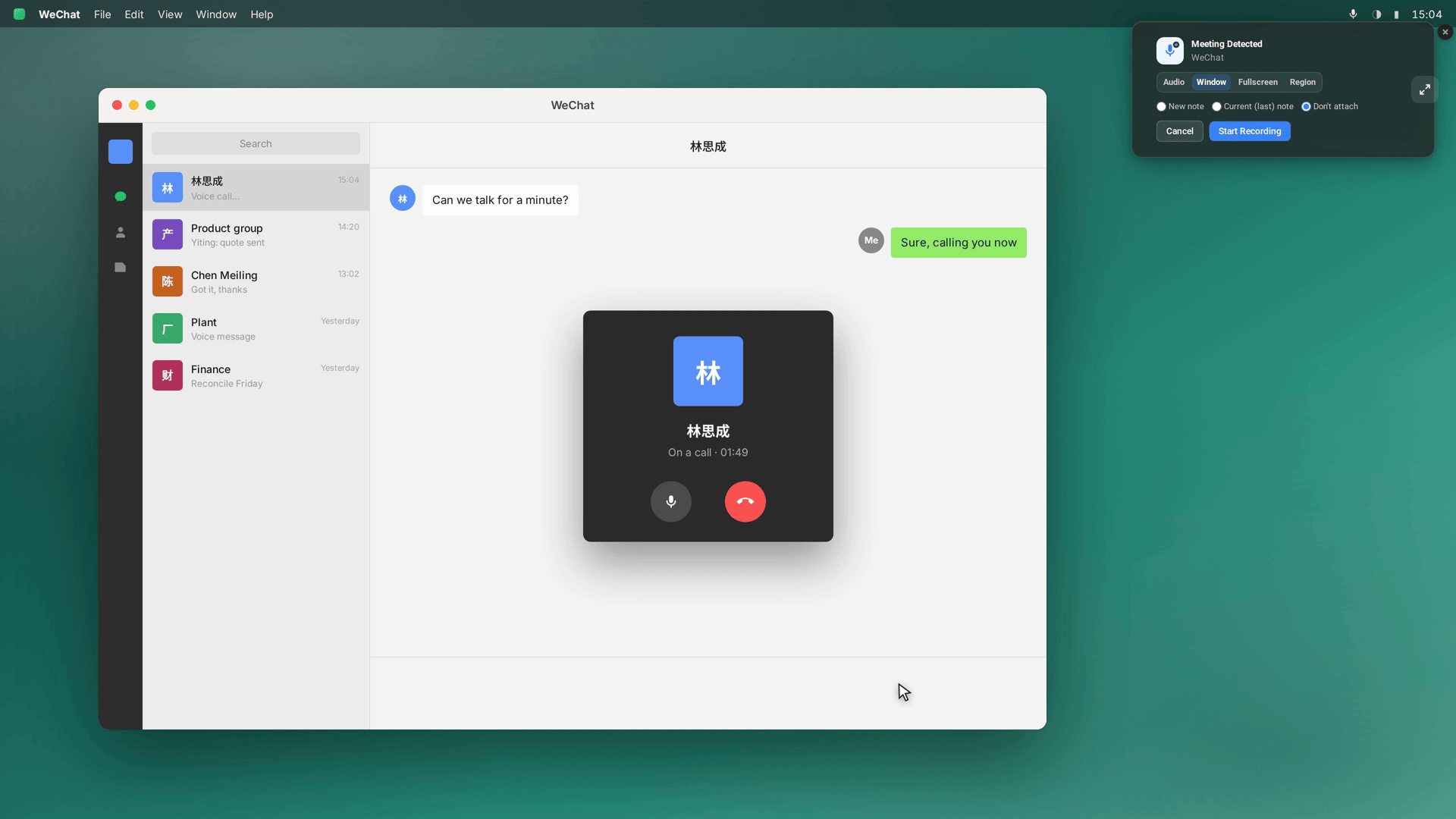
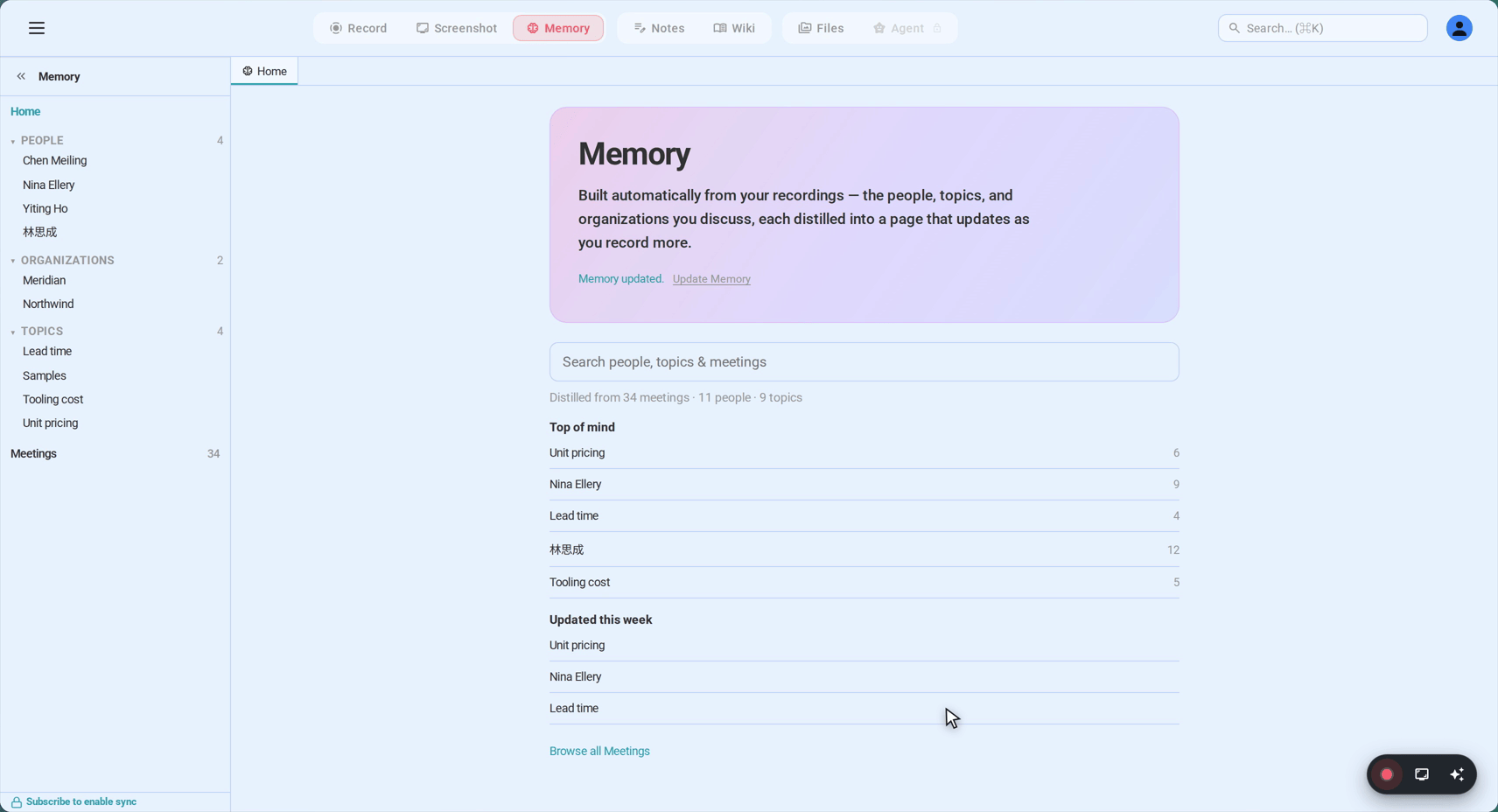
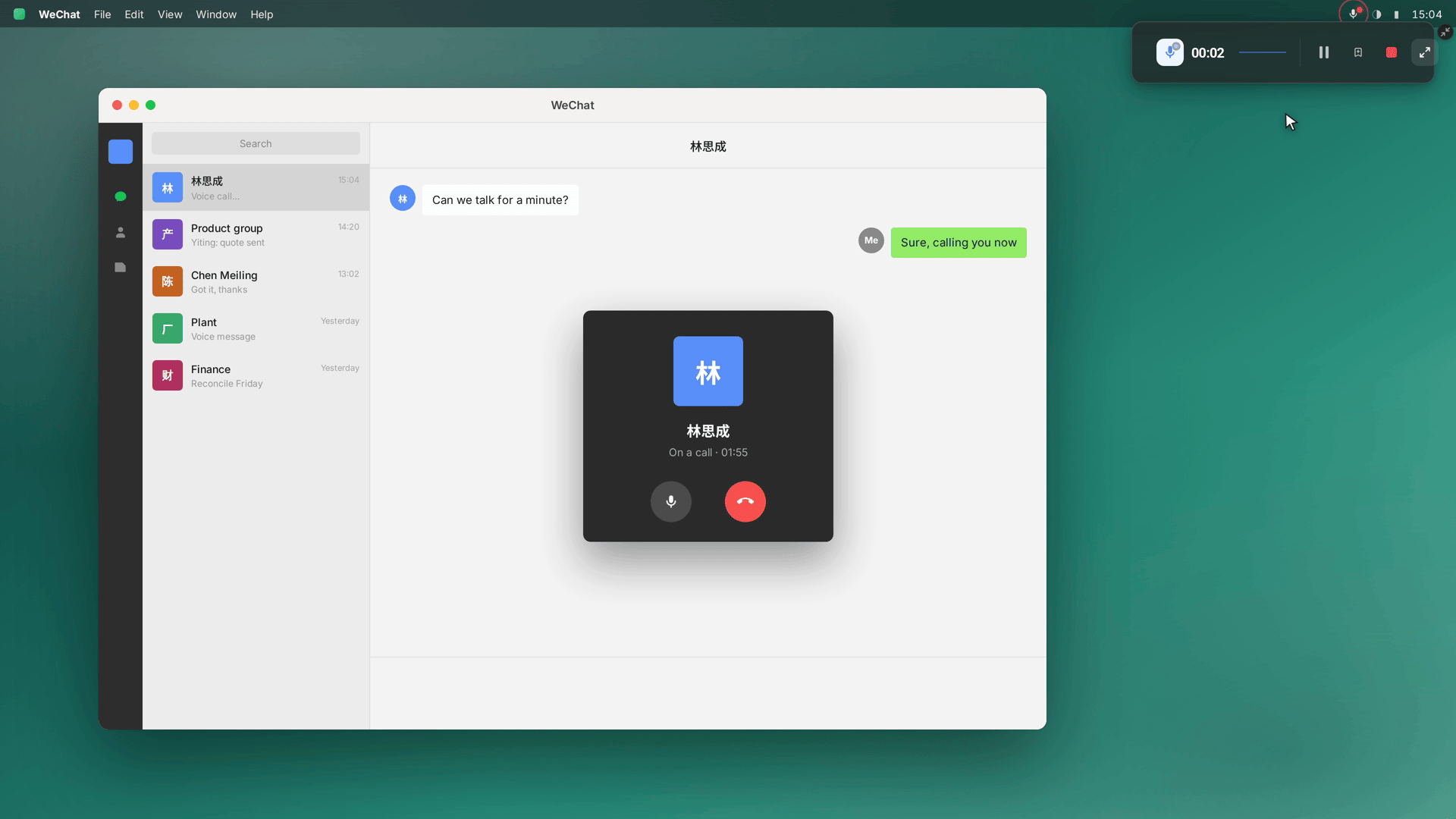
One click and it rolls. Capture sits at the system-audio level, so both sides of the conversation arrive together, there is no share dialog to interrupt anyone, and no participant appears that anyone could notice. When the call ends, the recording ends with it. And for the call you only realised mattered halfway through, Flashback has the last two minutes before you clicked — kept retroactively.
Method 2: WeChat Work in the browser
If the call is on 企业微信 — supplier on Work, you on anything — its web client changes the maths. A WeChat Work call at wework.wechat.com renders in a browser tab, and a tab is something a browser recorder can see:
- Open wework.wechat.com and sign in, then start or join the call in the tab.
- Open app.seameet.ai in a second tab — same browser, nothing to install.
- Choose “A browser tab”, pick the WeChat Work tab, and tick “Share tab audio” — the far end of the call travels through that checkbox.
- Record. Stop when the call wraps.
Prefer the recorder to live in the browser permanently? The Chrome extension captures any tab, audio and video together, straight from its side panel — a WeChat Work call is a tab like any other.
WeChat Work conferences run up to 300 participants; the full mixed audio is captured, and the transcript does its best to separate speakers by voice, with renaming afterwards in the library.
What lands afterwards
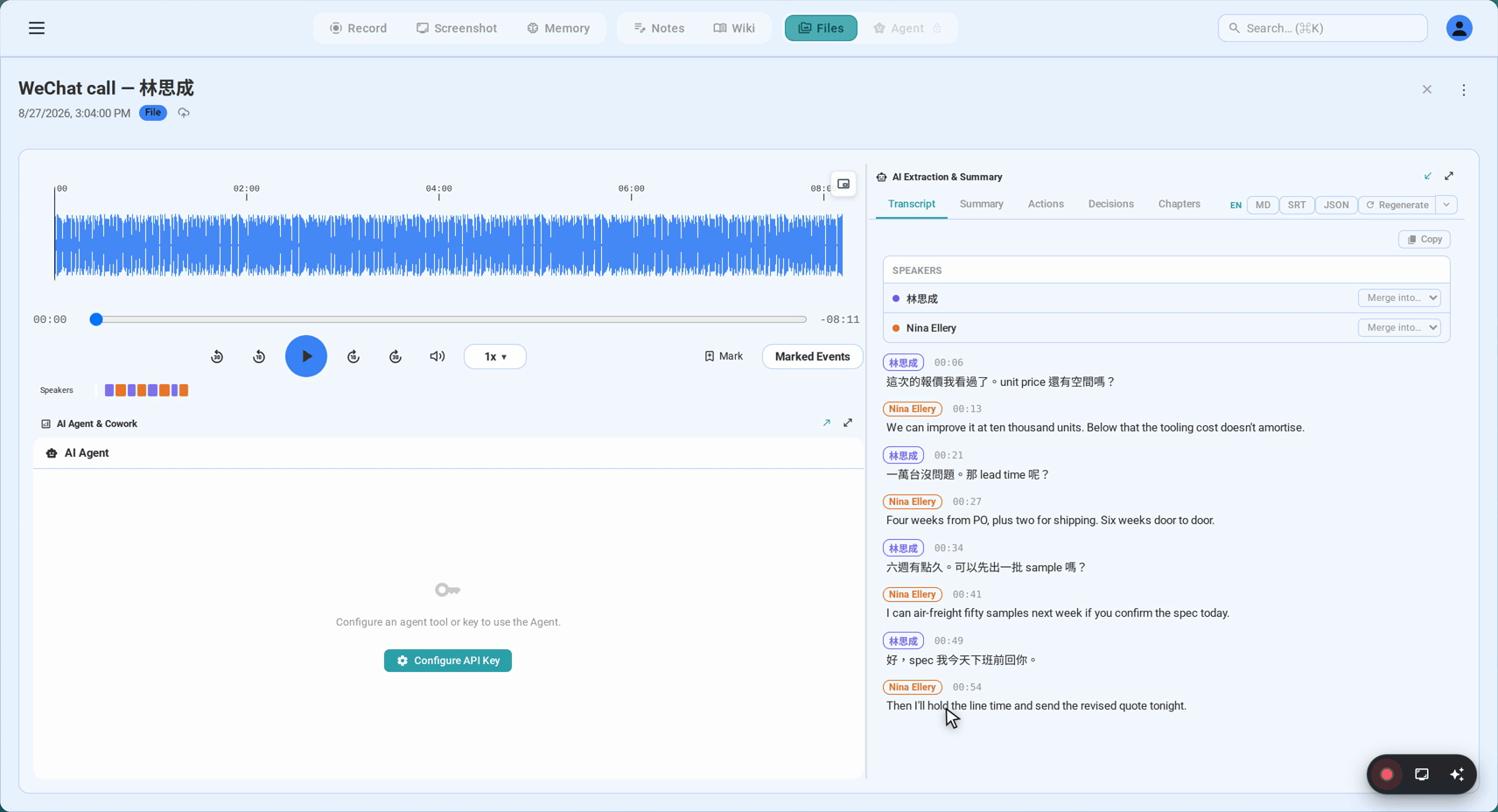
The signature artifact is that transcript: one document, timestamped, carrying 中文 and English side by side as they were actually spoken. Mandarin — Simplified or Traditional — and Cantonese are first-class, including calls that switch between the two, and auto-detection handles the mid-sentence mixing that cross-border business runs on.
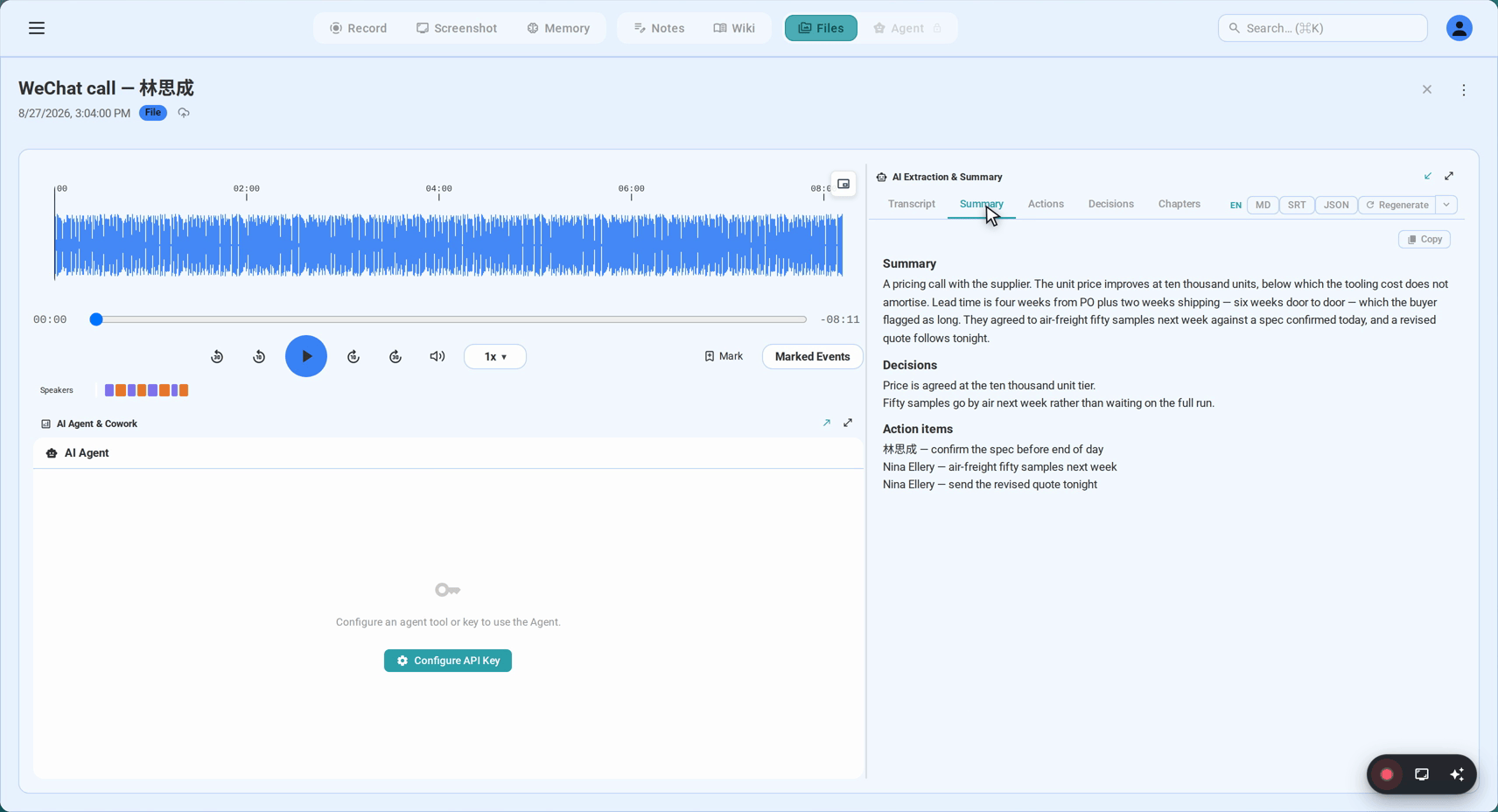
Then there is the summary. Decisions, action items, who agreed to what — generated a minute after hangup, and written in the language the call actually ran on. A call held half in English for the overseas side and half in 中文 for the factory produces a summary you can forward in either direction without translating anything yourself.
Two more things are worth knowing. Cross-border calls between the mainland and everywhere else lose audio quality to the distance; the transcription is built to stay accurate through that degradation. And where WeChat’s own backups stay locked inside WeChat, these recordings are plain portable files — video, exported transcript, yours to keep, in a library that attaches each call to the people and the company on it.
The accounting is the same as everywhere else: the first 15 minutes of a recording open without an account, the free tier carries 6 hours of transcription for life, and Sync Pro is $15.99/month or $12.99/month billed annually when the hours run out.
Consent: the part Chinese business culture has already solved
Technically, the capture is silent. WeChat shows no indicator, nothing joins the call, the other side sees nothing. Which is exactly why the decision to say something out loud belongs to you — and in Chinese business contexts, saying it is not optional etiquette so much as the standard itself.
The law, briefly: for personal use, Chinese practice generally runs on one-party consent — you are a party, you may record. In a business setting, recording colleagues or counterparts without disclosure can collide with workplace policy and civil privacy protections, whatever the technical legality. The working rule that satisfies law and manners in one sentence, said at the top of the call: 「我录一下音,会后整理成纪要发给大家。」 — I’ll record this and send everyone the notes afterwards. It converts a covert capture into a service you are doing for the room, which is what it actually is.
And when the call itself crosses a border — you in Taipei or Hong Kong, the counterpart in Shenzhen — two sets of expectations apply to the same conversation. The announcement above satisfies them together, which is exactly why it is the habit worth keeping.
FAQ
Does WeChat have built-in call recording?
No — not consumer WeChat, not WeChat Work, not on any platform. Every recording route is external by definition, which is what makes the desktop-capture approach the natural one.
Can I record a WeChat call from my phone?
Phone screen recording is the no-computer fallback: your own voice is captured reliably, the far end depends on the OS. If a phone recording is what you have, import the file into SeaMeet — where both sides made it onto the recording, the transcript comes back complete.
Doesn’t WeChat already turn voice messages into text?
It does, natively — long-press a voice message and the conversion is right there. But that feature is for messages, not calls: nothing in WeChat transcribes a live conversation. For calls, the recording-plus-transcript path in this guide is the one that exists; voice-message files can be imported too, so everything sits in one searchable library.
Can I record a cross-border WeChat call, China to overseas?
Yes. Long-distance routes shave audio quality, and the transcription is tuned for exactly those conditions. Whether the call dials out from the mainland or from the other side, the capture works the same way.
How does transcription handle Cantonese?
Cleanly, including Hong Kong and Guangdong business Cantonese, casual speech, and calls that switch between Cantonese and Mandarin mid-stream. Mixed-script competence of this kind is rare among transcription services; for cross-border teams it is often the deciding feature.
Is it legal to record a WeChat call in China?
For personal use, one-party consent is the general practice — you were in the call, you may keep it. Business recordings without disclosure are the sensitive zone: workplace policy and civil privacy rules can both bite. Announcing the recording at the start, as above, is the practice that travels.
See it in 60 seconds
Related articles
Tags
Ready to try SeaMeet?
Join thousands of teams using AI to make their meetings more productive and actionable.
Free: 6 h lifetime transcription · first 15 min revealed