Record Every Call.
Invite Zero Bots.
Turn Every Detail into Assets .
SeaMeet lives on your desktop, not in the cloud. It auto-detects calls on WhatsApp, Line, Zoom, and 50+ apps to record and transcribe invisibly. No awkward meeting bots. Your data never leaves your machine without your explicit approval.
Download for Free — Windows & macOSAll recordings stay on your machine. Always.
Sarah Chen
Product Manager

Privacy
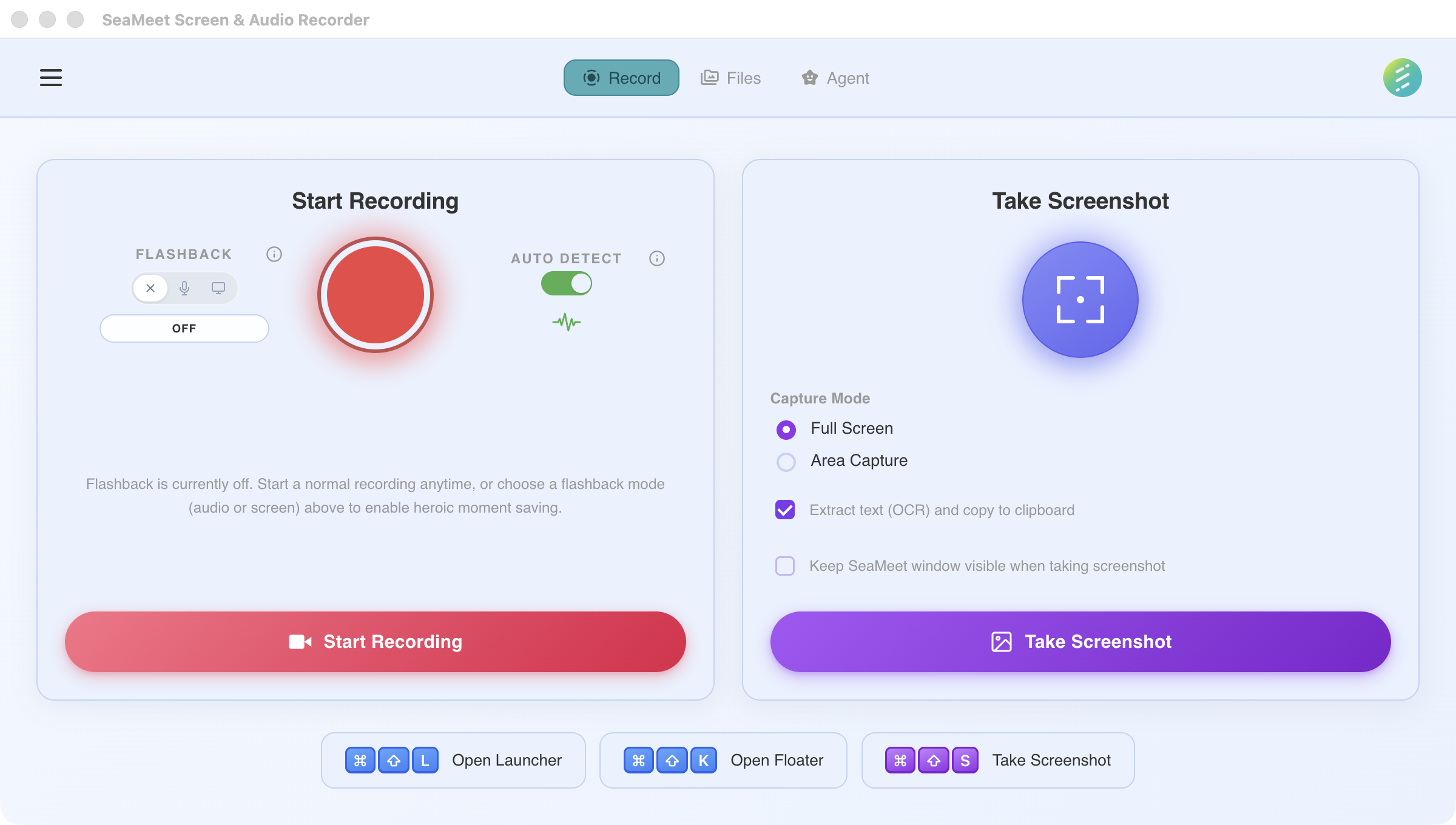
Privacy & Local First
Your recordings, your data, your control.
All Local
Recordings stored on your device, never uploaded
Bring Your Own Keys
Use your own API keys — your data, your cloud, your control
Works Offline
No internet required for recording
Start with No Account
Download and start recording immediately
Built for people & teams where data residency matters.
Why SeaMeet
SeaMeet vs Cloud Bots
Cloud meeting bots are limited to the apps they can join. SeaMeet works everywhere.
| Cloud Bots | SeaMeet | |
|---|---|---|
| Visible in meeting | × Yes — bot joins | ✓ No — invisible |
| Works on WhatsApp / Line | × No | ✓ Yes — auto-detects |
| Works on Discord / gaming | × No | ✓ 50+ apps |
| Data location | × Their servers | ✓ Your device only |
| Missed the start? | × Gone forever | ✓ Flashback: rewind 2 min |
| After the meeting | × Copy to ChatGPT | ✓ Built-in AI agent |
| Pricing | × $20-30/mo/seat | ✓ Free + $4.99/mo AI |
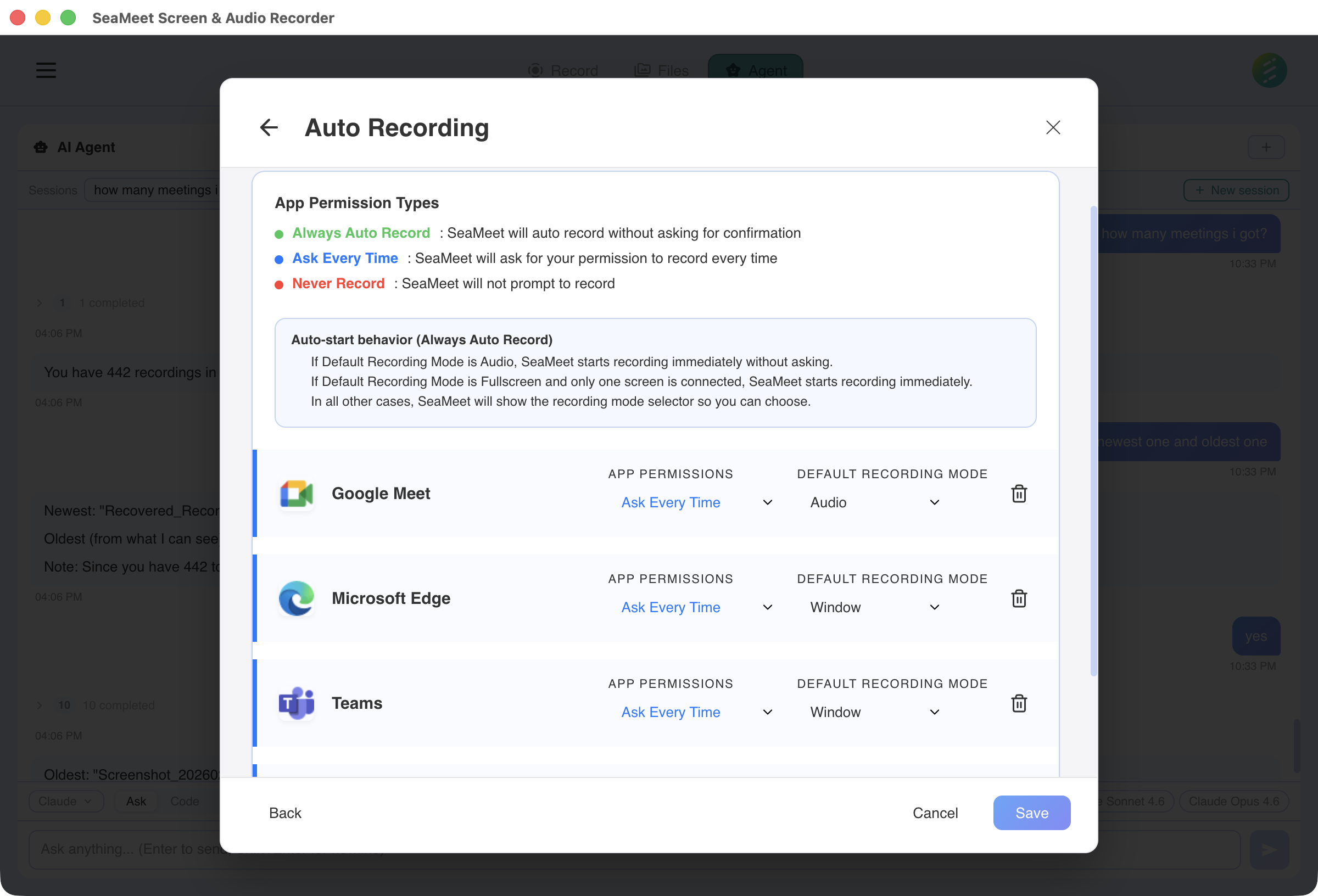
Smart Detection
Auto-Detects 50+ Apps
Automatically starts recording when you join a meeting.
Set per-app rules: Always Record, Ask Every Time, or Never
Flashback
Already Missed It? Rewind 2 Minutes.
Flashback saves the last 30 seconds to 2 minutes — even if you weren't recording.
Audio Flashback
30-second rolling buffer captures audio in the background. Hit the hotkey and save what just happened.
~30 MB RAMVideo Flashback
Up to 2 minutes of retroactive screen + audio capture. Configurable buffer size.
Configurable durationAfter the Meeting
Then Let AI Handle the Rest
Stop copy-pasting to ChatGPT. SeaMeet's AI agent turns your recordings into action.
Transcribe
Raw recording
Full transcript with speaker labels
Summarize
Hour-long meeting
Key points, decisions, action items
Translate
Recording in any language
Translated transcript
Make Slides
Meeting recording
Presentation slides
Create Infographic
Meeting recording
Visual summary
Draft Follow-up
Meeting with decisions
Follow-up email draft
Recording
Record, or Snap
Audio, video, screenshots — capture exactly what you need.
Audio Recording
Capture microphone, system audio, or both
Fullscreen Video
Record your entire display in high quality
Window Recording
Capture a single app window, handles resizing
Region Recording
Select any area of your screen to record
Full Screenshot
Capture your entire screen as an image instantly
Region Snapshot
Select and capture any area as a screenshot
Available on Windows and macOS
Native desktop app with full feature parity on Windows and macOS.
Need a meeting bot that auto-joins your calls? Try SeaMeet Cloud →