Transkrypcja AI
Transkrypcja AI w czasie rzeczywistym
Transkrypcja mowy na tekst na zywo zasilana przez Gemini. Automatyczne wykrywanie jezyka i oznaczanie mowcow.
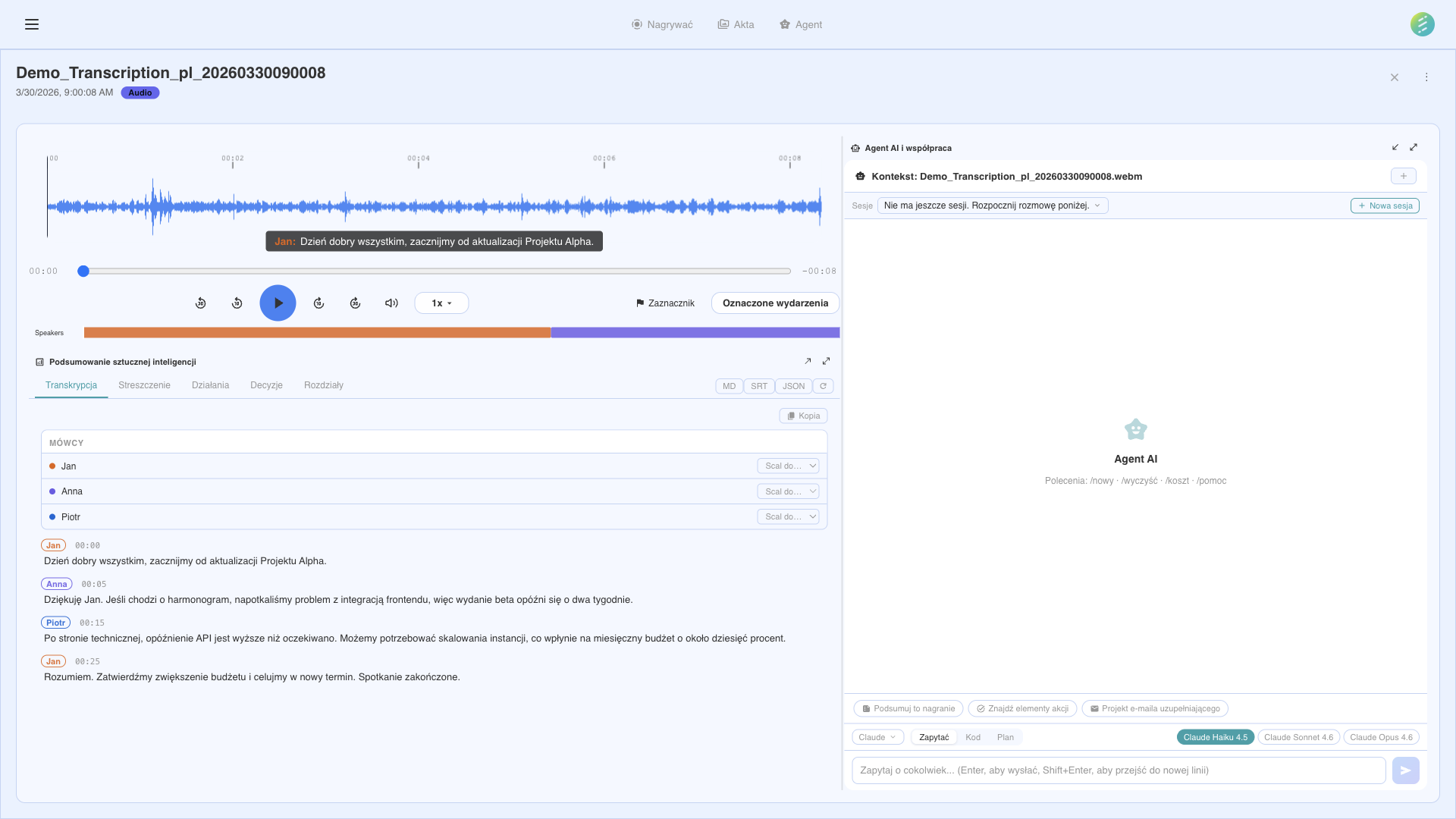
Interfejs transkrypcji i analizy zasilany przez AI
Jak to dziala
Gdy rozpoczynasz nagranie z wlaczona transkrypcja, SeaMeet strumieniuje audio do API Gemini w czasie rzeczywistym. Model AI przetwarza mowe i zwraca tekst w ciagu sekund, z automatycznym wykrywaniem jezyka i rozdzielaniem mowcow.
W czasie rzeczywistym podczas nagrywania
Transkrypcja odbywa sie na zywo podczas nagrywania. Slowa pojawiaja sie w ciagu sekund od wypowiedzenia — nie po zakonczeniu nagrywania.
Ponad 20 obslugiwanych jezykow
Automatyczne wykrywanie jezyka oznacza, ze nie musisz recznie ustawiac jezyka. SeaMeet identyfikuje wypowiadany jezyk i transkrybuje odpowiednio.
Wykrywanie mowcow
SeaMeet rozroznia roznych mowcow i oznacza kazdy segment. Na spotkaniach z wieloma uczestnikami mozesz zobaczyc, kto co powiedzial.
Segmenty ze znacznikami czasu
Kazdy segment transkrypcji zawiera precyzyjne znaczniki czasowe. Kliknij dowolny znacznik, aby przeskoczyc do danego momentu w nagraniu.
Nakladka z napisami
Wyswietlaj napisy na zywo jako nakladke na ekranie podczas nagrywania. Przydatne dla dostepnosci, glosnych srodowisk lub gdy nie mozesz uzywac glosnikow.
Wielu dostawcow STT
Wybieraj sposrod wielu dostawcow mowy na tekst: Gemini Live (domyslny), Deepgram Nova-3, Soniox i OpenAI Realtime. Przelaczaj dostawcow w zaleznosci od potrzeb.
Eksport SRT
Eksportuj transkrypcje jako pliki podtytulow SRT. Uzywaj eksportowanych podtytulow do edycji wideo, udostepniania lub importu do innych narzedzi.
Konwersja chinska
Automatyczne przetwarzanie konwertuje transkrypcje z chinskiego uproszczonego (zh-CN) na tradycyjny (zh-TW), oszczedzajac recznej konwersji.
Kwestie prywatnosci
Strumieniowanie audio
Gdy transkrypcja jest aktywna, audio jest strumieniowane do dostawcy AI w celu przetworzenia. Audio nie jest przechowywane przez dostawce i jest usuwane po przetworzeniu.
Transkrypcje pozostaja lokalne
Wynikowy tekst transkrypcji jest zapisywany lokalnie na Twoim urzadzeniu. SeaMeet nigdy nie przesyła Twoich transkrypcji na wlasne serwery.
Tylko za zgoda
Transkrypcja nigdy nie jest wlaczona domyslnie. Wybierasz, kiedy ja aktywowac — per nagranie lub jako globalna preferencja.
Not on the desktop app? See the web capability → Transcription